Automated website security testing means running a scanner that probes your site for known weaknesses, such as cross-site scripting, SQL injection, outdated software and missing security headers, and then reports what to fix. A good tool covers the common OWASP-style flaws, runs on a schedule and gives you findings a developer can act on. OWASP ZAP suits developers who want a free scanner in their pipeline. Pentest-Tools.com suits teams that want a hosted scanner with no setup. HostedScan suits small teams that need recurring scans and audit-ready reports. Free URL checkers suit a five-minute first look.
The hard part is that these tools are not interchangeable. Some are built for engineers, some for compliance reports, and some only check the surface of your site. Pick the wrong one and you either never finish setting it up or get a clean report that missed the real problems.
This article explains how automated scanning works and where it stops, then compares four tools on what they test, how you set them up and who they suit. We run bot protection for ecommerce storefronts at Nostra AI, so we also point out the risks that no scanner will ever flag.
An automated scanner crawls your site, sends crafted requests to every page, form and parameter it finds, and compares the responses against known vulnerability patterns. That is the whole idea, and it explains both its strengths and its limits.
Most tools start with a crawl that maps your pages, forms and API endpoints. Then they run passive checks, which only read normal traffic for problems such as missing security headers, insecure cookies and exposed software versions. Active checks come next. They submit payloads like script tags and SQL fragments into your inputs and watch how the site reacts. This approach is called dynamic application security testing, or DAST.
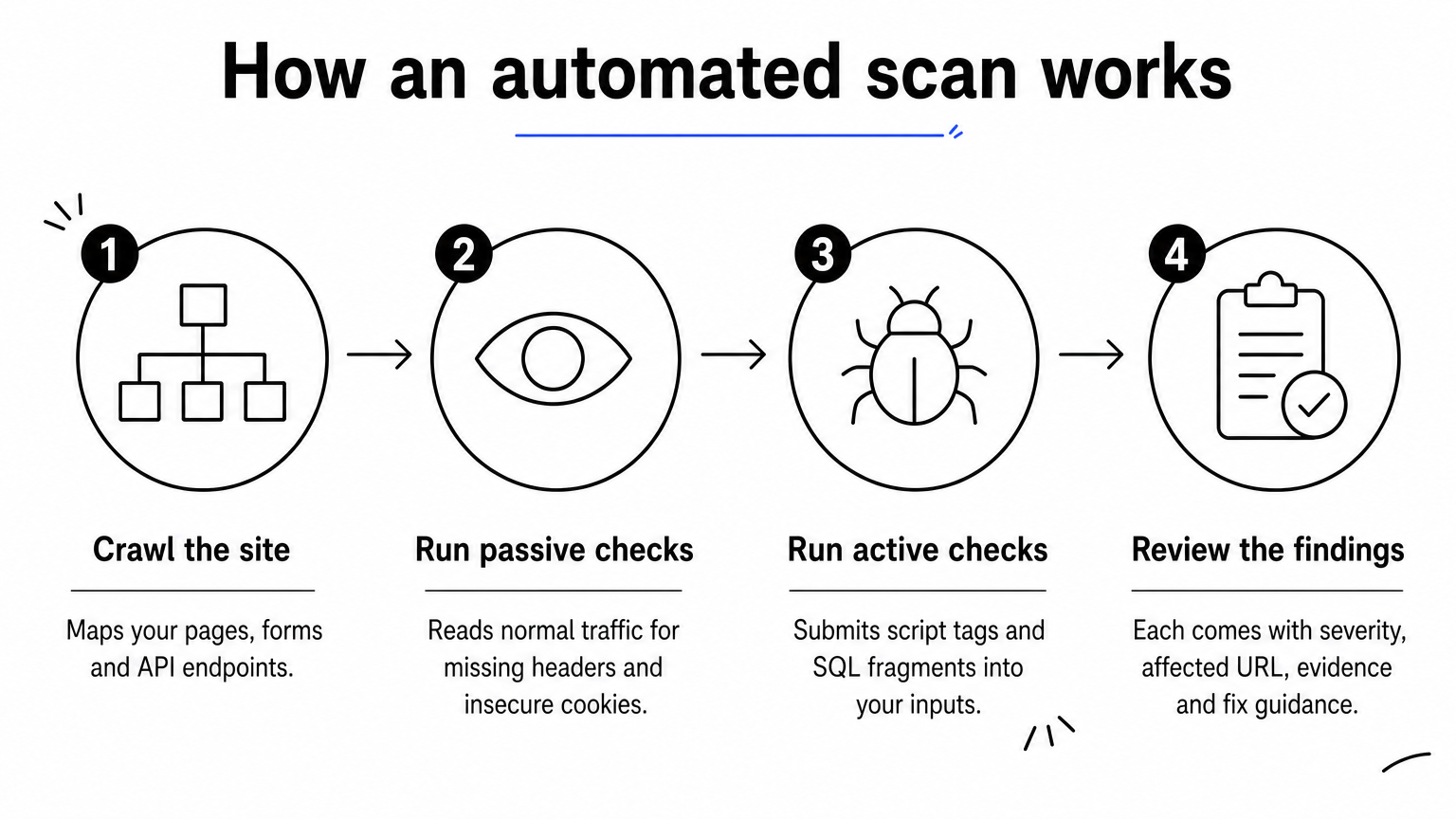
Each finding usually comes with a severity, the affected URL, the evidence and fix guidance. Run active scans only against sites you own or have written permission to test, and use a staging copy when you can. Active scans submit forms and can create junk records or extra load on a live store.
Scanners are strong on known, repeatable flaws and weak on anything that needs context. Expect gaps in these areas:
Bot traffic deserves its own control. Knox, the agent behind Nostra AI's Edge Protect, blocks malicious bots at the edge while letting verified crawlers such as Googlebot, ChatGPT and Claude through. A scanner cannot do that job, because it tests your code once and does not watch your traffic.
A scanner finds the flaws you can patch, so pair it with controls for the threats it cannot see.
| Tool | Type | Where it runs | Best for |
|---|---|---|---|
| OWASP ZAP | Open-source DAST | Your machine or CI | Developers and security engineers |
| Pentest-Tools.com Website Vulnerability Scanner | Hosted DAST | Browser | Teams without a security engineer |
| HostedScan | Hosted multi-target scanner | Browser | Small IT teams and agencies |
| ImmuniWeb and UpGuard free checks | URL-based external check | Browser | A quick first look |
Choose by who will own the results. If nobody on your team reads scan output, a hosted tool with plain reports beats a more powerful one you never configure.
OWASP ZAP is the free, open-source scanner that most security-minded developers try first. It is the most flexible option here, and it asks the most of you.
ZAP sits between a browser and your site as a proxy. It crawls the site, reads traffic passively and attacks inputs actively. It finds issues such as cross-site scripting, SQL injection, insecure cookies and missing headers. Its Docker images include three ready-made modes:
ZAP costs nothing. You can run it as a desktop app, or as a Docker container inside your CI pipeline so that every release gets scanned. The install is quick. The real work is configuring authentication and scan scope, so the scanner can reach pages behind a login. Plan an afternoon for the first useful run.
ZAP suits developers and security engineers who want scans tied to their build process. They will accept a learning curve in exchange for control.
It is a poor fit for a marketing or ecommerce team with no engineering time. The output also needs triage, because it will flag items that do not matter for your site.
Choose ZAP when you have an engineer to own it, because the tool is free but the setup time is not.
This is a browser-based scanner for people who want results without installing anything. It gives you a way to test your own site before committing to a security program.
The scanner is a DAST tool aimed at common web flaws such as XSS and SQL injection. It works from the outside, the way an attacker would, so it needs no access to your source code. Findings arrive as a report you can pass straight to a developer. For other issue types, review the full list of checks on the product page.
You enter a URL and start a scan from your browser. Hosted scanners generally ask you to verify ownership of a domain before running deeper checks, and that step takes a few minutes. The tool offers a free way to try a scan. Paid plans unlock more depth, so confirm current limits and pricing on its site.
It suits small teams, agencies and ecommerce operators who need credible scan results without a security engineer. You get a readable report, and developers get enough detail to reproduce the issue.
You give up some control compared with ZAP. Custom authentication flows and unusual app behavior are easier to tune in an open-source tool that you run yourself.
Choose a hosted scanner when speed to a first report matters more than deep tuning.
HostedScan is an online platform that covers more than the website. It scans websites, servers, networks and APIs from one account.
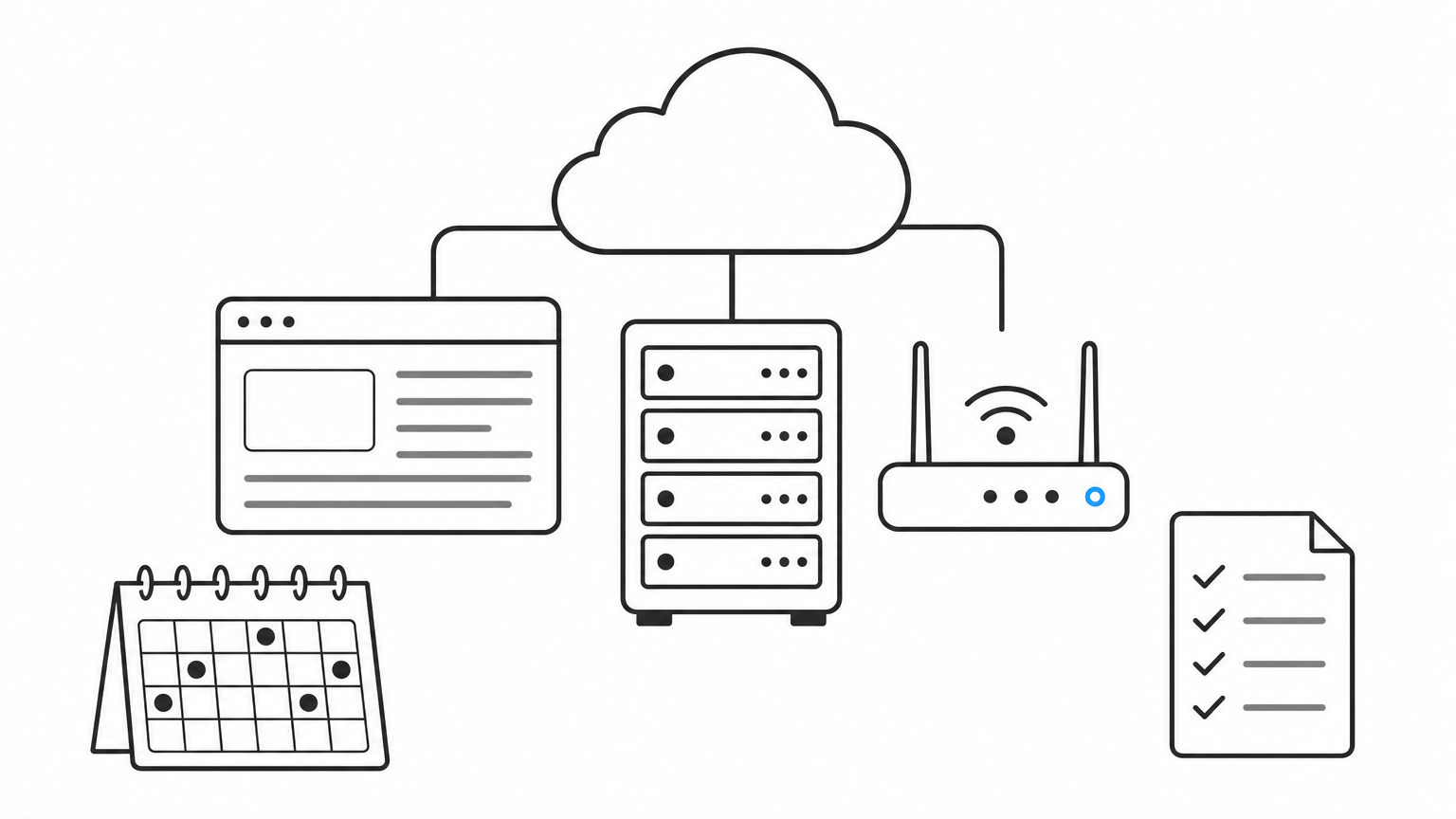
Because it spans several asset types, HostedScan fits companies whose exposure is not only the storefront. You can check the web application, the servers behind it and exposed network services together. It sends threat alerts when something changes, and it generates audit-ready reports from the results.
Setup is cloud-based. You add your targets, choose what to scan and schedule recurring runs, so scanning becomes a habit rather than a one-off event. Plan details change, so check its site for current pricing and what each tier includes.
It suits small IT teams, agencies and growing brands that need to show customers or partners proof of regular testing. The audit-ready reports are the main draw, since security questionnaires from retail partners and payment providers often ask for exactly that.
Breadth comes at a cost. For deep testing of a custom application, a dedicated DAST tool such as ZAP will dig further.
Choose HostedScan when recurring coverage and paperwork matter as much as raw depth.
These tools give you a fast, external read on your site with no account and no install. Treat them as a screening step, not a full test.
ImmuniWeb's website security test checks for outdated and vulnerable software, audits HTTP security headers and reviews web server security and compliance. UpGuard's free scan produces a security assessment from a URL and looks at areas such as data leaks. Both see only what a visitor sees from the outside.
You paste your domain into a form and read the result. There is nothing to install, and the basic checks are free. That makes them ideal for checking a new store, a staging site or a vendor's domain.
They suit owners who want a first look before paying for anything, and marketers who want to check a landing page domain. Run one today, then use the findings to decide whether you need ZAP or a hosted platform.
These checks cannot log in, cannot test checkout flows and will not find injection flaws deep inside your app. A clean result here does not mean your site is secure.
Use a free checker to spot the obvious gaps, then move to a real scanner for anything that matters.
Automated scanning is worth doing because it is cheap and repeatable. Start with a free URL check, then move to ZAP if you have engineers or to a hosted platform if you do not. Run it on a schedule, and fix the high-severity findings first.
Remember what a scanner cannot see. It tests your code, not your traffic, and malicious bots will still hit your storefront, distort your analytics and waste ad spend. If that is your problem, Edge Protect with Knox blocks bad bot traffic at the edge with no code changes, and you can start with a 14-day free trial.


