
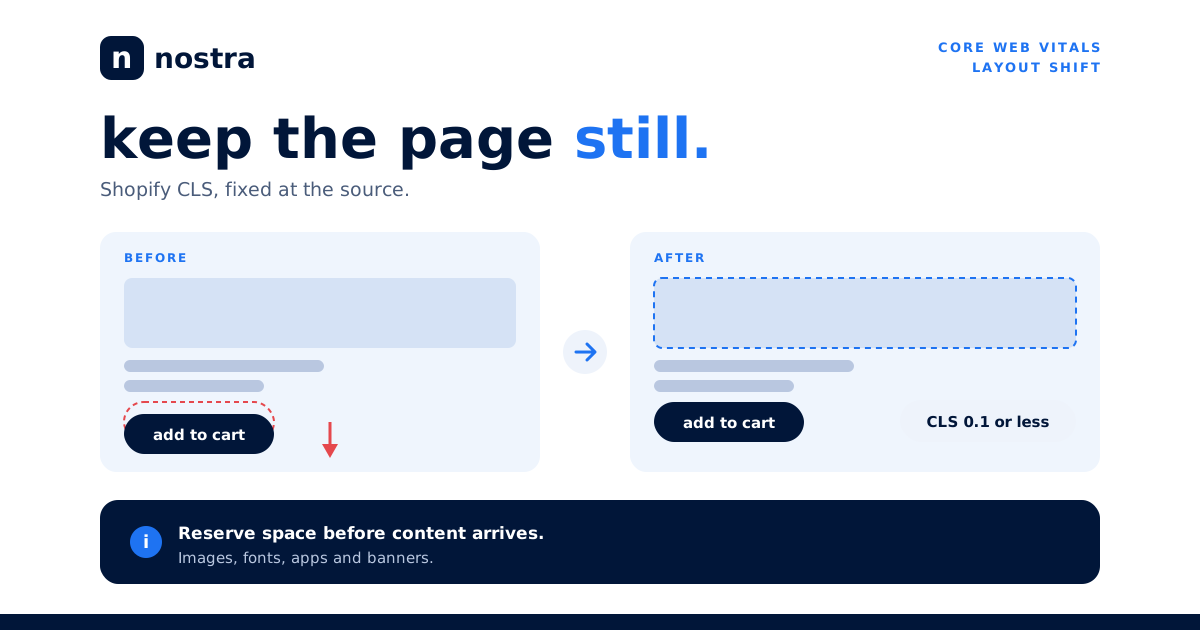


TL;DR: Shopify CLS (Cumulative Layout Shift) measures how much your page jumps around while it loads. Google rates a score of 0.1 or lower as good and anything above 0.25 as poor, measured at the 75th percentile of real visits. On Shopify stores, shifts almost always come from the same five sources: images without reserved space, web fonts that swap late, app-injected banners and widgets, late-loading announcement bars and cookie notices, and dynamic content like reviews. Fix those in order of impact and most stores can reach the good range without a redesign.
In this guide
Every Shopify merchant has felt it: you go to tap "Add to cart" and the button slides down because a review widget finished loading above it. You tap the wrong thing, or nothing, and you leave irritated. That jump is layout shift, and Shopify CLS is the Core Web Vital that puts a number on it. This guide explains what the metric counts, how to find the elements causing it on your own store, and the specific fixes that move the score, from theme code to app behavior to infrastructure.
What Shopify CLS actually measures
Cumulative Layout Shift adds up unexpected movement of visible elements during a page's life. Each shift gets a score based on two things: how much of the viewport the moving element affected (impact fraction) and how far it moved (distance fraction). Multiply them and you have the score for that single shift. CLS reports the worst "session window," a burst of shifts with gaps of less than one second between them, capped at five seconds in total.
Google's thresholds, assessed at the 75th percentile of page loads across mobile and desktop, are simple: 0.1 or less is good, between 0.1 and 0.25 needs improvement, and above 0.25 is poor. You can read the full definition in Google's guide to Cumulative Layout Shift.
Two details trip up Shopify teams. First, shifts that happen within 500 milliseconds of a tap or click are excluded, because they are expected responses to input. An accordion that opens when tapped is fine; a banner that appears on its own is not. Second, CLS is a field metric. Your Lighthouse run in a clean browser can show 0.02 while real shoppers on slow phones, with a consent banner and six apps loading in a different order, experience 0.30. If you have not separated those two views, our explainer on lab data versus field data covers why they disagree.
CLS is also one of the three Core Web Vitals alongside LCP and INP. If you have already worked through LCP image optimization and INP fixes, layout stability is the remaining piece of the set.
Why layout shift costs revenue
Layout shift is a trust problem before it is a ranking problem. A page that moves while someone is reading or aiming at a button feels broken, and shoppers on mobile have little patience for it. The costs show up in three places.
Mis-taps and abandoned intent. When a size selector, a quantity stepper, or a checkout button moves at the wrong moment, the shopper either triggers the wrong action or hesitates. Either one adds friction at the point of highest intent.
Perceived quality. Stores selling premium products cannot afford to look janky. A hero that reflows three times while loading signals the opposite of craftsmanship, even when the products are excellent.
Search visibility. Core Web Vitals are part of Google's page experience signals, and Google says that great page experience is one factor among many. Relevance still wins, but when two pages are comparable, stability can tip the balance. Google documents this in its Core Web Vitals guidance for Search.
The practical takeaway is that CLS work pays back in conversion first and search second. It is also among the cheapest vitals to fix, because most causes are layout rules rather than heavy engineering.
How to find what is shifting on your store
Do not start by editing theme code. Start by identifying which elements move, on which templates, and for which visitors.
Start with field data
Open the Core Web Vitals report in Google Search Console to see which URL groups fail on CLS, then confirm with PageSpeed Insights, which shows the field data distribution for a URL when enough traffic exists. Look at mobile first. Most Shopify stores have a mobile CLS problem that never appears on desktop.
Reproduce it in DevTools
In Chrome DevTools, open the Performance panel, enable the Layout Shifts track, throttle the CPU and network to a mid-range phone, and record a page load. Each shift shows up as a marker; click it to see the exact element that moved and by how much. The Rendering panel also has a "Layout Shift Regions" overlay that flashes the shifting area in blue as you reload.
Test the states real shoppers see
Run the page in a fresh incognito window so the cookie banner and any first-visit popups appear. Test a product page with variants selected, a collection page after filtering, and the cart drawer. Many shifts only occur in these states, which is why a single homepage test misses them.
Rank by template
Group your findings: homepage, collection, product, cart. A store usually has one or two culprit templates carrying most of the problem. Our guides to product page speed and collection page speed pair well with this step, since the same template-level audit finds both speed and stability issues.
Fix images, media, and theme sections
Images without reserved space are the most common cause of Shopify CLS. The browser cannot know how tall an image is until it downloads, so everything beneath it jumps when it arrives.
Always output width and height
Modern browsers use the width and height attributes to compute an aspect ratio before the file loads. In Liquid, the image_tag filter outputs these for you; custom markup and older themes often drop them. Audit any hand-written <img> tag in your sections and snippets and make sure both attributes are present.
Use aspect-ratio for containers
For hero banners, product galleries, and collection cards, set a CSS aspect-ratio on the container so the space is reserved regardless of the image inside. This matters most when merchants upload images with different dimensions, because a card grid with mixed ratios reflows as each image arrives.
Reserve space for video and embeds
Product videos, 3D viewers, and social embeds should sit in a container with a fixed ratio. Show a poster image in the same box until the player initializes.
Do not lazy load what the shopper sees first
Lazy loading is not itself a CLS problem when dimensions are reserved, but lazy loading the hero image delays LCP and often creates a visible pop-in. Keep above-the-fold images eager, and lazy load everything below. Shopify's own theme performance best practices recommend the same split.
Fix fonts, apps, and injected widgets
Web fonts that swap late
When a custom font loads after the page first paints, text rendered in the fallback font reflows to the new font's metrics. Headlines wrap differently, buttons change width, and the layout moves. Three habits reduce this:
- Preload the one or two font files used above the fold so they arrive before first paint.
- Use
font-display: swaporoptionaldeliberately;optionalavoids swaps entirely on slow connections at the cost of occasionally showing the fallback. - Match the fallback to the web font using the
size-adjust,ascent-override, anddescent-overridedescriptors so the swap barely changes line heights.
We go deeper on all three in our Shopify font optimization guide.
Apps that inject content
Apps are the second most common source of shift on Shopify, and the hardest to control because the code is not yours. Typical offenders include review stars on collection cards, "frequently bought together" blocks, shipping-protection widgets, upsell bars above the add-to-cart button, sticky add-to-cart bars, and loyalty banners. Each injects markup after the page paints.
The fix pattern is the same every time. Find the app's container in the DOM, give it a min-height that matches its rendered size, and make sure it sits in a position where late arrival cannot push the primary buttons. Prefer app blocks and app embeds placed through the theme editor to scripts that append elements to arbitrary locations. If an app offers a server-rendered or Liquid-based option, use it, since content that ships in the initial HTML does not shift.
Then audit the app list. Every app that adds a script is a candidate for a shift. Remove anything unused, and check whether an app you installed for a one-time campaign is still loading on every page. Our guide to third-party app performance walks through how to measure each app's cost.
Fix banners, popups, and dynamic content
Announcement bars
An announcement bar that loads after the header pushes the entire page down by its own height, which is a large impact fraction on mobile. Render it in the initial HTML with a fixed height, or reserve the space in CSS before the script runs. If the bar rotates messages, fix its height to the tallest message.
Cookie and consent banners
Consent tools commonly insert a banner at the top or bottom after load. A bottom banner that overlays the page, rather than pushing content, causes no shift. If you must use a top banner, reserve its space. Position fixed or sticky overlays do not shift surrounding content because they take no space in the layout flow.
Popups and email capture
Modals that overlay content are safe. Inline signup forms or slide-down promo strips that move content are not. Delay them until after the shopper has engaged, and use overlays rather than layout-moving containers.
Reviews, recommendations, and personalization
Dynamic modules fetched by JavaScript arrive after layout. Reserve a skeleton with the expected height, and do not collapse it if the module returns empty; instead hide it only after the height is known, or accept a short fixed-height placeholder below the fold where the impact is minimal. Content placed below the fold counts less because the impact fraction only includes the visible part of the viewport.
Keep Shopify CLS low over time
Fixing CLS once is straightforward. Keeping it fixed is harder, because every new app, campaign banner, and theme update is a chance to reintroduce shifts. Build a few simple guardrails.
Add CLS to your launch checklist. Before shipping a new section, banner, or app, load the page with DevTools' layout shift track on and confirm nothing moves. Five minutes of checking saves weeks of regression hunting.
Monitor real users. Track CLS with field data, not just lab scores. Search Console trends will show regressions, and a real user monitoring tool will show you which element moved and on which template. Watch the 75th percentile, since that is what Google evaluates.
Control change with a staging theme. Duplicate the live theme, make changes there, and compare layout shift tracks before publishing. Avoid editing the live theme directly during campaigns.
Account for infrastructure. Slow server responses stretch the window in which late content can arrive, and delayed CSS or scripts make shifts more likely. Delivery improvements that get HTML, CSS, and images to the browser faster shrink that window. This is where edge delivery helps: when a page's critical assets are served from a location near the shopper and optimized ahead of time, there is less time between first paint and final layout, and fewer opportunities for things to move. It does not replace the layout fixes above, but it complements them. If you want a view of how this works on a Shopify storefront, see how Nostra approaches edge delivery for performance.
Frequently asked questions
What is a good CLS score for a Shopify store?
A score of 0.1 or lower at the 75th percentile of real visits is rated good by Google. Between 0.1 and 0.25 needs improvement, and above 0.25 is poor. Aim for under 0.1 on every key template, especially mobile product and collection pages.
Why is my Shopify CLS different in PageSpeed Insights and Lighthouse?
Lighthouse is a lab test in a controlled environment, while the field data in PageSpeed Insights comes from real Chrome users over the previous 28 days. Field CLS includes cookie banners, slow devices, and different app load orders, so it is often higher. Trust the field data when the two disagree.
Do Shopify apps cause layout shift?
Yes, frequently. Apps that inject reviews, upsells, bars, or widgets after the page paints are a leading cause. Reserve space for each app's container, prefer app blocks that render in the initial HTML, and remove apps you no longer use.
Does lazy loading images hurt CLS?
Not when you set width, height, or aspect-ratio so the space is reserved. Lazy loading without reserved dimensions causes shifts as each image arrives. Never lazy load the hero or other above-the-fold images, since that hurts LCP.
How long does it take for CLS fixes to show in Google Search Console?
Field data uses a rolling 28-day window, so improvements appear gradually and a full refresh can take about a month. Use DevTools and real user monitoring to confirm fixes immediately while you wait for Search Console to catch up.
Can my theme be the cause of high CLS?
Absolutely. Older themes often omit image dimensions, load fonts late, or build sections with JavaScript. Auditing theme code for missing dimensions and client-rendered sections is usually the highest-impact first step before looking at apps.
Make your store stable and fast
Layout stability, loading speed, and responsiveness work together, and shoppers feel all three at once. If you want to see where your store stands and which fixes would pay back fastest, talk to the team at Nostra. We help Shopify brands improve Core Web Vitals through edge delivery and ongoing performance optimization, so your pages load fast and stay still while shoppers decide to buy.


