
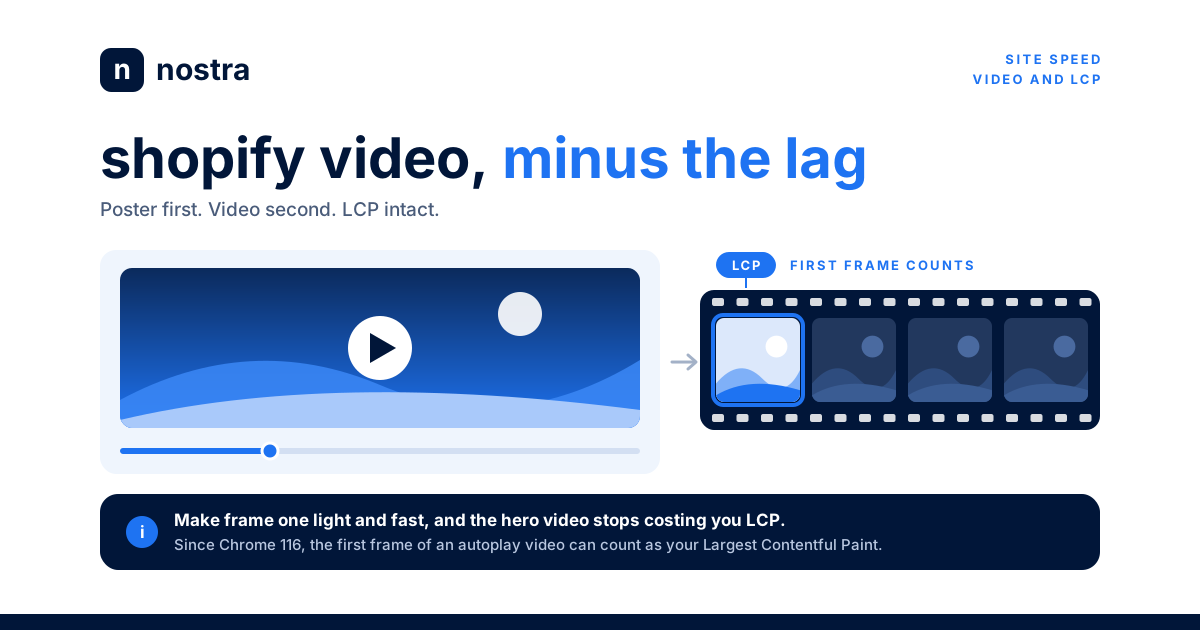


TL;DR: Video sells products, but on most Shopify stores it is also the heaviest thing on the page. Since Chrome 116, the first frame of an autoplaying video can be your Largest Contentful Paint element, so a slow hero video now drags down Core Web Vitals directly. Good Shopify video optimization comes down to four habits: paint a light poster image first, keep autoplay hero clips short and muted, lazy load everything below the fold, and replace heavy third-party players with click-to-load facades. Then measure the change in real-user data, not just lab scores.
Table of contents
- Why video slows down Shopify stores
- How video affects LCP and Core Web Vitals
- Shopify video optimization for hero banners
- Product page video: lazy loading and facades
- Compress, encode, and size your video files
- How to measure video's effect on conversion
- Shopify video FAQ
Shopify video optimization is the practice of delivering homepage, collection, and product videos in a way that keeps pages fast for real shoppers. It matters because video has quietly become the default creative choice for ecommerce brands. Founders want a looping lifestyle clip above the fold, merchandisers want a 360 spin on every product page, and the paid social team wants landing pages that match the motion in their ads. Each of those decisions is reasonable on its own. Together, they often turn a store that loaded in two seconds into one that loads in five, especially on mid-range phones over cellular connections.
The good news is that you rarely have to choose between video and speed. Most of the cost comes from how video is loaded, not from the fact that it exists. This guide walks through where the weight comes from, how Google now scores video in Core Web Vitals, and the specific Liquid and HTML patterns that let you keep motion on the page without paying for it in conversion rate.
Why video slows down Shopify stores
A single product photo, properly compressed, might weigh 60 to 150 KB. A ten second 1080p background loop can easily weigh 3 to 8 MB, and a longer brand film can run far larger. That is not a small difference: one autoplaying clip can outweigh every image, font, and script on the page combined.
Weight is only part of the problem. Video competes with everything else for bandwidth during the most important moment of the page load. When a browser sees an autoplay video near the top of the page, it starts fetching it right away, and that download shares the connection with your CSS, your hero text font, and your add-to-cart JavaScript. On a fast desktop connection that contention is barely noticeable. On a phone with a weak signal, it can delay the moment a shopper sees anything meaningful by seconds.
Then there are the players themselves. Embedding a YouTube or Vimeo video pulls in the platform's player JavaScript, styles, and tracking before anyone presses play. Third-party review and UGC apps that add shoppable video carousels often do the same thing, sometimes loading multiple players on a single product page. We covered the general pattern in our guide to how third-party apps slow down Shopify stores, and video widgets are some of the worst offenders because their cost is mostly main-thread work that also hurts responsiveness.
Finally, video tends to land on exactly the pages where speed matters most. Homepages and landing pages receive the bulk of paid traffic, and product pages are where purchase decisions happen. Slowing down either one has a direct revenue cost. Shopify's own analysis found that every 100 milliseconds of improvement in load time lifted conversion meaningfully, a result we broke down in Shopify's speed and conversion data.
How video affects LCP and Core Web Vitals
For years, video was mostly invisible to Largest Contentful Paint. LCP measured images and text blocks, and a video only counted if it had a poster image. That changed in August 2023. According to the Chromium LCP changelog for Chrome 116, videos are now treated like images for LCP purposes, and the timestamp is the moment the first video frame is displayed.
That has a practical consequence for Shopify stores. If your homepage hero is a large autoplaying video, there is a good chance it is now your LCP element in the Chrome User Experience Report, which is the field data Google uses for search signals. Your LCP score depends on how quickly the browser can download enough of that video to decode and paint frame one. A heavy file, a slow connection, or a video that only starts loading after JavaScript runs will all push LCP past the 2.5 second threshold that Google considers good.
Video can also affect the other two Core Web Vitals:
- Cumulative Layout Shift (CLS): A video container without explicit width and height, or a player that injects itself after load, will push content down the page. Always reserve the space with an aspect ratio so nothing moves when the video appears.
- Interaction to Next Paint (INP): Third-party players and carousel apps run a lot of JavaScript. If that work happens while a shopper is tapping a variant selector or the add-to-cart button, the page feels sluggish. Our guide to fixing slow interactions on Shopify covers how to find those long tasks.
Shopify video optimization for hero banners
The homepage hero is where Shopify video optimization pays off the most, because it is the first thing every visitor loads. Here is the setup we recommend for brands that want a looping background video without sacrificing speed.
1. Paint a light poster image first
A poster is a still image that displays while the video loads. Make it a real, optimized frame from the video, sized for the viewport, and served in a modern format. If the poster renders quickly, shoppers see a complete hero immediately, and the transition to motion feels like a bonus rather than a wait. The same rules from our Shopify LCP image optimization guide apply here: correct dimensions, high fetch priority, and no lazy loading on anything above the fold.
2. Keep the clip short, muted, and inline
Background loops do not need to be long. Six to ten seconds of footage, cut so the loop is seamless, is enough to communicate movement. Strip the audio track entirely, since an autoplaying hero must be muted anyway for browsers to allow autoplay. Use the muted, loop, and playsinline attributes so iOS Safari plays it inline rather than trying to open a full-screen player.
3. Use Shopify's video_tag with intent
If the video is uploaded to Shopify, the Liquid video_tag filter generates the markup for you. It supports autoplay, loop, muted, and controls parameters, an image_size parameter that controls the poster's dimensions, and a loading parameter that accepts lazy or eager. By default it outputs a poster and preload="metadata". For an above-the-fold hero, set loading: 'eager' and an image_size that matches your layout instead of relying on defaults. One detail worth knowing: Shopify's documentation notes that when loop is enabled, the adaptive HLS source is not used, so the browser will fetch a progressive MP4. That makes file size even more important for looping heroes.
4. Serve a different asset to mobile
A 1920 pixel wide video is wasted on a 390 pixel wide phone screen. Many themes let you set a separate mobile video or image for the hero section. Use it. For many brands the best mobile hero is a static image, with the video reserved for larger screens where bandwidth is usually better and the motion has room to make an impact. Given how different shopping behavior is across devices (mobile and desktop shoppers convert very differently), this is often the single biggest win.
Product page video: lazy loading and facades
Product page video is a different problem. Here the video is usually not the first thing a shopper sees, so the goal is to keep it from loading at all until someone wants it.
Lazy load anything below the fold
Videos that live in the media gallery, in a "see it in action" section, or in a UGC carousel should not download during the initial page load. Combine a poster with preload="none" or preload="metadata" and lazy loading, as recommended in Google's video performance guidance on web.dev. With Shopify's video_tag, videos lower on the page default to lazy loading, but custom sections and app blocks often bypass that, so check the rendered HTML rather than assuming.
Replace embedded players with facades
A facade is a lightweight placeholder that looks like a video player: a thumbnail image with a play button. The real YouTube, Vimeo, or app player only loads when a shopper clicks. This one change can remove hundreds of kilobytes of JavaScript from a product page and eliminate a large chunk of main-thread work. Most shoppers never press play on a product video, so a facade means they never pay for one either.
Audit your video apps
Shoppable video and UGC apps can be valuable, but they vary widely in how well they load. Open a product page, run a performance trace, and look at how much script each app adds before any interaction. If an app loads its full player, analytics, and carousel logic up front, ask the vendor whether it supports deferred or on-interaction loading. If it does not, weigh its conversion lift against what it costs in speed. A performance trace in Chrome DevTools will show exactly how long each script runs.
Compress, encode, and size your video files
Loading strategy controls when video downloads. Encoding controls how much downloads. Both matter.
- Pick efficient codecs. Modern codecs like AV1 and VP9 (in a WebM container) are significantly more efficient than H.264. List the most efficient source first and keep an H.264 MP4 as the fallback, since browsers pick the first source they support.
- Match resolution to display size. If the hero renders at 1440 pixels wide on most desktops, encoding at 4K adds weight without adding visible quality. 1080p is usually plenty for a full-width hero, and 720p is often enough for a product gallery slot.
- Trim the first frame. Since the first frame can now be your LCP element, make sure it is a meaningful, well-lit frame, not a fade-in from black. A black first frame looks broken if the rest of the file is slow to arrive.
- Replace animated GIFs. If any part of your store still uses GIFs for motion, convert them to short muted MP4 or WebM loops. The size savings are usually dramatic.
Delivery matters too. Every millisecond the browser spends waiting on the first byte of HTML is a millisecond before it can even discover the poster and video. Serving pages and media from an edge network close to the shopper shortens that chain. This is where an edge delivery platform like Nostra helps: it reduces time to first byte for the page itself, so the poster and video requests start sooner, without requiring changes to your theme or creative.
How to measure video's effect on conversion
It is tempting to judge video by Lighthouse scores, but lab tools run a single simulated load and do not reflect your real traffic mix. Use field data to make decisions.
- Identify your LCP element in the field. Use real user monitoring or the Chrome User Experience Report to see which element is reported as LCP on your homepage and top product pages. If it is a video, that clip is now part of your search performance.
- Segment by device and connection. Video almost always hurts mobile on slower networks more than desktop on broadband. Look at LCP and conversion rate by device before deciding where video belongs.
- Run a clean A/B test. Test the video hero against a poster-only variant, or the full player against a facade. Measure conversion rate and revenue per visitor, not just engagement with the video itself. Make sure bot traffic is filtered from the test, because automated sessions can distort small differences.
Shopify video FAQ
Does a background video on my Shopify homepage hurt SEO?
It can, indirectly. Since Chrome 116, a large autoplaying video can be your page's LCP element, and LCP is part of Core Web Vitals. If the video is slow to display its first frame, your field LCP score suffers. A fast poster image, a small file, and edge delivery keep the impact minimal.
Should I host product videos on Shopify or YouTube?
For product pages, Shopify-hosted video is usually lighter because it uses a native HTML5 video element without the YouTube player's JavaScript. If you need YouTube for reach or analytics, load it behind a click-to-play facade so the player only downloads when a shopper wants to watch.
What is the ideal file size for a Shopify hero video?
There is no universal limit, but aim to keep a looping hero under roughly 2 to 3 MB for desktop, and consider a static image for mobile. Short clips, efficient codecs, and resolution that matches the display size are the main levers.
Should autoplay videos be lazy loaded?
Only if they are below the fold. An autoplay hero at the top of the page should load eagerly with a fast poster. Autoplay videos further down the page should be lazy loaded so they do not compete with critical resources during the initial load.
Why does my product video cause layout shift?
Usually because the container has no reserved dimensions, or because an app injects the player after the page renders. Set an explicit aspect ratio on the video wrapper and make sure app blocks render a placeholder of the same size.
Video can be one of the most persuasive tools on a Shopify store, but only if shoppers stick around long enough to see it. Start with the hero: give it a light poster, a short muted loop, and a mobile alternative. Then move every product page player behind a facade and audit the apps that load video on your behalf. Finally, shorten the path to that first frame with faster delivery. Book a demo with Nostra to see how edge delivery cuts time to first byte on your real traffic, so your video, images, and checkout all load faster without a theme rebuild.


