Your traffic looks fine. Your ad spend is climbing. But the revenue numbers still don't move, and every meeting ends with the same question: why aren't more visitors buying? If you're searching for ways to start increasing conversion rate ecommerce sites depend on, you already know the problem isn't demand. It's everything standing between a click and a completed checkout.
This article gives you 14 concrete, tested tactics for how to increase ecommerce conversion rate performance, ranked by how much control you actually have over them. Some fixes live on your product pages and checkout flow. Others live at a layer most teams never look at: site speed, bot traffic inflating your analytics, and cookie identity loss that quietly breaks your retargeting.
We've spent years watching what actually moves the needle across 300+ ecommerce brands, from beauty to fashion to retail. So instead of generic advice, you'll get specific, prioritized actions covering page load performance, checkout friction, trust signals, and the traffic-quality issues that skew your data before optimization even begins.
Site speed is the single biggest lever most ecommerce teams underestimate. Every extra second of load time chips away at conversions, a pattern the data on the link between load time and revenue makes plain, and the damage compounds on mobile where patience runs thinnest. If you're trying to increase ecommerce conversion rate numbers this quarter, start here before you touch a single button on your product page, since sub-second page loads lift CVR and AOV together.
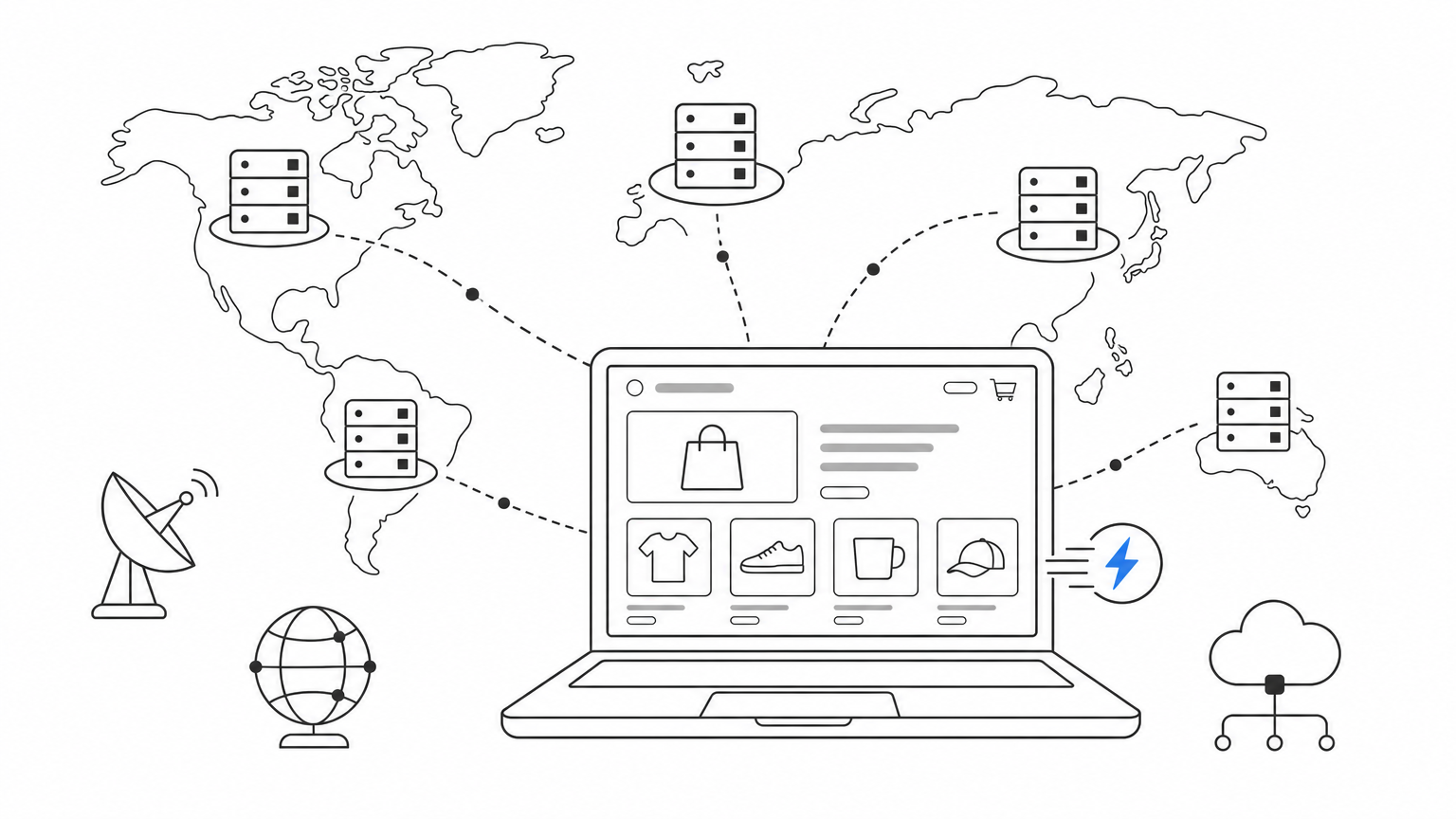
Google's own research on page experience shows that as load time goes from 1 to 3 seconds, bounce probability jumps 32%, and it keeps climbing from there, as detailed in Google's Think with Google research. Speed doesn't just affect the visitor who leaves. It affects everyone who stays, because slow pages create friction at every step: product images that stutter in, filters that lag, an add-to-cart button that hangs for a beat too long. That hesitation adds up across thousands of sessions.
A one-second delay can cost you more customers than a bad discount code ever will.
Most speed problems on ecommerce sites come from third-party scripts, unoptimized images, and render-blocking code, not from your core platform. You have two paths:
This second path is exactly what Dash, Nostra AI's edge speed agent, does. It sits at the edge, monitors real performance data continuously, and automatically compresses, prioritizes, and delivers your storefront faster, with brands seeing load time improvements up to 47%. Deployment takes a single DNS change, then a short observation window while the agent learns your store's traffic patterns before it starts optimizing automatically.
Teams often treat speed as a one-time project instead of an ongoing discipline. You add a new app, a new pixel, a new personalization script, and six months later your site is slow again without anyone noticing until conversion rates dip. Watch for these traps:
Before you can trust any conversion number, you need to know who's actually visiting your site. A huge chunk of ecommerce traffic isn't human. It's scrapers, scalping bots, and credential-stuffing scripts that inflate session counts, hammer your servers, and quietly wreck the analytics you use to make decisions.
Bot traffic doesn't just waste server resources, it actively distorts the metrics you use to judge everything else on this list. If 20-30% of your "visitors" are bots, your real conversion rate is higher than your dashboard shows, and every optimization test you run gets muddied by fake sessions. Bots also scrape pricing data for competitors, attempt account takeovers at checkout, and burn through ad budget by clicking paid campaigns. Nostra AI's platform has blocked over 10 billion bots annually across its network, a scale that shows how pervasive the problem actually is.
You can't optimize a conversion rate you can't accurately measure.
Standard firewalls and CDN-level bot rules catch obvious scrapers but miss sophisticated bots designed to mimic human browsing patterns, which is why the layers of ecommerce bot protection differ so much in what they actually stop. Knox, the agent behind Edge Protect, runs at the edge, analyzing traffic patterns in real time and blocking malicious bots before they ever load a page, distort your analytics, or waste ad spend. It works alongside Sherlock, which identifies legitimate AI crawlers so you don't accidentally block traffic that feeds AI search visibility, a tradeoff worth weighing before deciding whether to block AI crawlers on your store.
Many teams either ignore bot traffic entirely or block too aggressively and accidentally lock out real shoppers. Watch for these issues:
Checkout is where good traffic goes to die. You've earned the click, built the interest, and gotten a shopper to add something to their cart, and then a clunky five-step checkout with forced account creation talks them out of it. If you're trying to improve ecommerce conversion rate performance, this step usually delivers the fastest visible win of anything on this list.
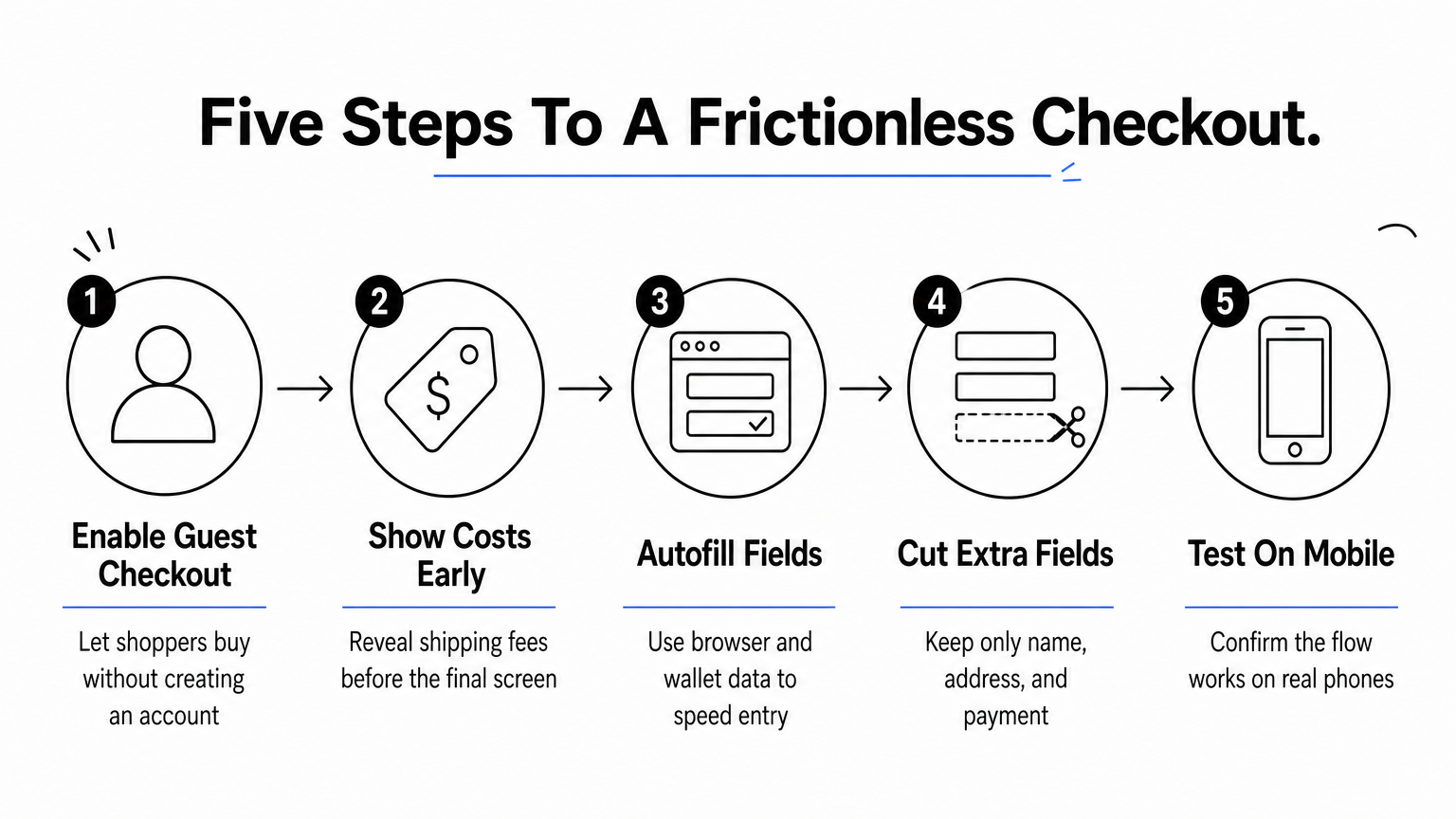
Baymard Institute's research puts the average cart abandonment rate near 70%, and a large chunk of that comes down to friction at checkout rather than price shock, which is why most proven ways to reduce shopping cart abandonment start with the checkout flow itself. Every extra field, every forced login, every unexpected shipping cost revealed at the last step gives a shopper a reason to bail. Shoppers who make it to checkout have already decided to buy. Your job at this stage is just to get out of their way.
The best checkout is the one your customer barely notices.
Start by counting your steps. If completing a purchase takes more than three screens, you have room to cut.
Teams often redesign checkout once and never revisit it, even as new payment methods and shipping options emerge. Watch out for:
A shopper who's never bought from you before is making a small leap of faith every time they enter a card number. Trust signals close that gap fast, and they cost almost nothing to add compared to the revenue they protect. If you're focused on how to improve conversion rate ecommerce teams overlook this step because it feels cosmetic, but the data says otherwise.
Baymard Institute research on checkout usability found that a meaningful share of shoppers abandon a purchase because they don't trust the site with their payment information. Security badges, SSL indicators, and recognizable payment logos aren't decoration, they're reassurance at the exact moment doubt creeps in. This matters even more for newer brands without an established reputation, where a visitor has no prior experience to fall back on.
Shoppers don't buy from sites they don't trust, no matter how good the product looks.
Place trust signals where hesitation actually happens, not just in the footer where nobody looks.
Teams sometimes treat trust badges as a set-and-forget checkbox, slapping on generic icons that shoppers have learned to ignore. Watch for these missteps:
A product page with zero reviews reads as a risk to a first-time shopper, even if the product itself is excellent. Social proof works because it replaces your marketing claims with someone else's honest experience, and shoppers trust that far more than anything you write yourself. If you're still figuring out how to increase conversion rate on ecommerce website pages that get traffic but not sales, revisit what makes a product detail page convert and check whether your reviews are visible, recent, and easy to scan.
Shoppers actively search for reviews before buying, and a page without them signals either a new, unproven product or a brand hiding something. Star ratings near the price and product title give an instant trust cue before a visitor reads a single word of copy. User-generated photos and video add even more weight, since they show the product in real conditions instead of a studio shot.
A product with 200 honest reviews will outsell a flawless product page with none.
Getting reviews requires asking at the right moment, then displaying them where shoppers actually look.
Brands sometimes curate reviews so heavily that the page looks unrealistic, which erodes trust instead of building it. Watch for these traps:
A product page with one grainy photo asks a shopper to imagine what you're selling instead of showing them. Online shoppers can't touch the fabric, try the shade, or hear the sound, so your images and video have to do that work for them. If you're looking at how to increase conversion rate in ecommerce without a full redesign, upgrading product media is often the cheapest lever with the fastest payoff.
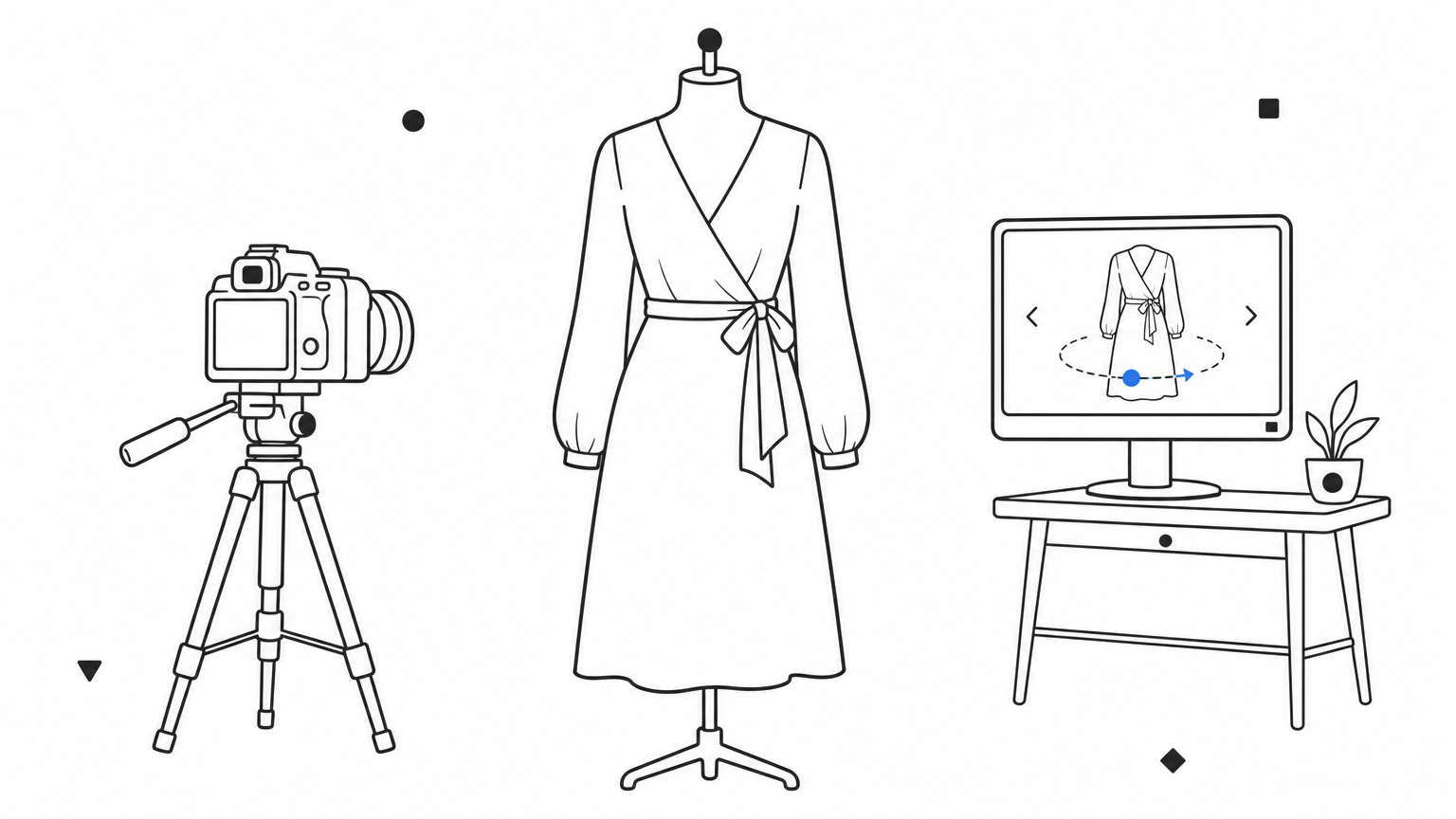
Shoppers scan images before they read a single word of description, and a page with only one or two low-resolution shots creates doubt about size, texture, and quality. Video closes that gap further, since it shows the product in motion, on a real body, or in actual use rather than a staged studio shot. Zoom and 360-degree views matter even more for products where texture or fit drives the purchase decision, like apparel, beauty, and home goods.
A shopper can't buy what they can't clearly picture themselves owning.
Treat product media as a checklist, not an afterthought bolted on after the copy is written.
Brands sometimes invest in beautiful photography, then upload it at full resolution without compression, quietly undoing their own speed gains. Watch for these issues:
Cookies used to last long enough for retargeting to work. Now browser privacy rules cut most third-party and even first-party cookies down to about a week, which means your ad platforms lose track of a shopper right when they're deciding whether to come back and buy. If you're serious about improving ecommerce conversion rate performance from your existing traffic, fixing this identity gap matters as much as attracting new visitors.
Every marketing tool you rely on, Meta, Google, Klaviyo, GA4, depends on recognizing the same visitor across multiple sessions. When cookie lifetime resets after a week, your retargeting ads stop firing, your attribution data breaks, and your email flows miss the second and third touch that actually close the sale. Most shoppers don't buy on the first visit, so losing identity this fast means you're paying to reacquire the same person over and over.
A shopper you can't recognize is a shopper you have to win over from scratch every single time.
Nostra AI's Crumble agent runs at the edge and extends cookies to two years on your own domain, while also recovering identities that would otherwise be lost to browser restrictions. It requires no code changes since it works at the DNS level alongside the rest of the agent stack, feeding that extended identity data straight back into your existing ad and email platforms.
Teams often diagnose a drop in retargeting performance as a creative or budget problem when the real cause is identity loss upstream. Watch for these issues:
Some shoppers abandon carts for a reason that has nothing to do with price or trust: you simply don't accept the payment method they wanted to use. Buy-now-pay-later, digital wallets, and local payment preferences vary widely by audience, and a checkout that only accepts credit cards quietly turns away a chunk of ready buyers.
Giving shoppers a choice at the final step removes one of the last possible objections before they complete a purchase. Younger shoppers increasingly expect buy-now-pay-later options like Klarna or Afterpay, while others simply prefer the speed of Apple Pay or PayPal over typing in card details. If you're focused on how to improve conversion rate ecommerce teams keep chasing through discounts, payment flexibility is a cheaper fix with a direct payoff, since you're not discounting anything, you're just removing friction.
The sale you lose to a missing payment method is a sale you never even see in your abandonment reports.
Most ecommerce platforms support these integrations natively or through a plugin, so this rarely requires custom development.
Brands sometimes add every available payment method at once, cluttering the checkout screen instead of simplifying it. Watch for these issues:
A shopper who can't find what they're looking for doesn't file a complaint, they just leave. Confusing menus, buried categories, and a search bar that returns zero results for common terms are quiet conversion killers, because the visitor never even reaches a product page where the rest of your optimization work can help them.
Ecommerce sites live or die on findability, which is why navigation sits alongside the other strategies to optimize your ecommerce store. If a shopper has to click through four levels of menus to find the product they came for, most won't bother, they'll assume you don't carry it and leave for a competitor. Site search matters even more than navigation for shoppers who already know what they want, since a search that fails to surface obvious matches feels broken even when the product is in stock. This is a core piece of how to increase conversion rate on ecommerce website pages that get traffic but bleed it right back out through a frustrating browse experience.
If a shopper can't find the product, it doesn't matter how good your product page is.
Start by watching real users navigate your site, either through session recordings or informal testing with people unfamiliar with your catalog.
Teams often build navigation around internal product taxonomy instead of how customers actually think about their catalog. Watch for these traps:
Seven out of ten shoppers add something to a cart and leave without buying. That doesn't mean they're gone for good. Most abandoned carts are recoverable if you reach the shopper fast, with the right message, on the right channel. If you're focused on increase conversion rate ecommerce teams treat as a lost cause, this tactic turns near-misses back into revenue without spending a dollar on new traffic.
A shopper who added an item to their cart already showed intent, they just got distracted, hit a price surprise, or needed to think it over. Abandoned cart emails consistently post some of the highest open and click rates in ecommerce marketing, because the message is timely and relevant instead of a generic promotion. SMS pushes that further, landing directly on a phone with response rates email can't match.
The easiest sale to close is one the shopper already started.
Speed and sequencing matter more than clever copy here.
None of this works if you lose the shopper's identity before the sequence finishes. Nostra AI's Crumble agent extends tracking well past the typical one-week cookie window, so your recovery flows still reach shoppers who abandoned days ago, including the Klaviyo flows that drive repeat revenue.
Brands often send one generic email and stop, missing the shoppers who need a second nudge. Watch for:
A countdown timer that resets every time you refresh the page teaches shoppers to distrust everything else on your site. Real urgency works because it's true, and shoppers can usually tell the difference between a genuine limited stock warning and a manufactured one designed to rush a decision. If you're trying to increase conversion rate ecommerce teams often reach for fake scarcity first, but the honest version converts better and protects your brand long term.
Urgency short-circuits the endless-tab-browsing habit that kills so many purchases. A shopper who knows a product is genuinely low in stock, or that a shipping deadline is real, has a reason to decide now instead of adding to a wishlist they'll never revisit. Scarcity works on the same principle: limited sizes, limited colors, or a capsule drop all give a shopper a concrete reason the item might not be there tomorrow.
Urgency only works as long as it's true, the first fake countdown you run costs you trust on every one after it.
Build urgency around facts you can actually verify, not arbitrary deadlines.
Shoppers have seen enough fake countdown timers to spot one instantly, and once they catch you in a lie, every future claim loses weight. Watch for these traps:
A broken add-to-cart button on one browser version might only affect 2% of your traffic, but that 2% is real revenue disappearing without a single alert going off. Most teams only find these bugs when a customer complains or a support ticket piles up, weeks after the damage started. If you're serious about how to increase conversion rate in ecommerce without guessing, you need to know your checkout actually works before a shopper finds out it doesn't.
Every step of the customer journey, homepage, product page, cart, checkout, confirmation, is a potential failure point, and a single broken step can silently erase all the work you did on speed, trust signals, and product media. Bugs rarely show up evenly either. A payment button might fail only on Safari, or a size selector might break only on one specific Android device, invisible to anyone testing on a work laptop.
A bug nobody catches costs you every sale that runs into it, one shopper at a time.
Manual QA can't keep pace with constant releases, new integrations, and the sheer number of device and browser combinations real shoppers use.
Patch, the QA agent behind Edge Assurance, handles this automatically, running the full customer journey on real devices and filing bug reports complete with reproduction steps and video, no manual QA cycle required.
Teams often test only after a major redesign, then go months without checking again while smaller updates quietly introduce new bugs. Watch for:
More than half your traffic probably arrives on a phone, yet plenty of ecommerce sites still feel like a shrunk-down desktop layout instead of a purpose-built mobile experience. Buttons sit too close together, checkout fields require constant zooming, and menus that work fine with a mouse turn into a frustrating mess with a thumb. If you're mapping out how to increase conversion rate on ecommerce website traffic that's already mostly mobile, this is where a lot of hidden revenue leaks out unnoticed, and building a seamless mobile experience in five steps is the fastest way to plug it.
Mobile shoppers convert at lower rates than desktop shoppers across most ecommerce categories, and layout friction is a big part of why mobile converts lower than desktop. Tiny tap targets cause mis-clicks, forms that don't trigger the right keyboard type (numeric for phone numbers, email keyboard for email) slow shoppers down, and pages that aren't optimized for smaller screens push people to abandon before they even reach checkout. Slow mobile load times compound the problem further, since mobile networks are less forgiving than home wifi.
A desktop site squeezed onto a phone screen isn't a mobile experience, it's an obstacle course.
Treat mobile as the primary design target, not an afterthought you check after desktop ships.
Teams often design and test primarily on desktop, then push a scaled-down version live without dedicated mobile QA. Watch for these issues:
A storefront that shows the same homepage to a first-time visitor and a fifth-time repeat buyer is leaving revenue on the table. Personalization means using what you already know about a shopper, past purchases, browsing history, location, to shape what they see next, and smart personalization strategies build directly on that data. If you're still hunting for how to increase conversion rate ecommerce teams often miss, this tactic works best after you've fixed the fundamentals above, since personalization on a slow, buggy site just highlights the friction faster.
Generic experiences ask every visitor to do the work of finding what's relevant to them. Personalized product recommendations shortcut that search, surfacing items based on browsing behavior or past orders instead of a static bestseller list. Returning shoppers respond even better to tailored homepage banners, size defaults, or restock alerts for items they viewed but didn't buy. None of this works without stable identity tracking, though, since a shopper who resets to anonymous every week can't be recognized long enough for personalization to matter.
Personalization only works if you can actually recognize the shopper you're trying to personalize for.
Start small and expand as you gather more signal.
Brands sometimes personalize too aggressively, creating a creepy rather than helpful experience. Watch for:
Fourteen tactics is a lot to tackle at once, so don't try to fix everything this month. Start with the tactics that fix your foundation: site speed, bot traffic, and identity tracking, since those affect every other number on this list, including ones you haven't checked yet. A trust badge won't matter if your checkout takes six seconds to load, and a personalization engine can't work if you lose the shopper's identity a week after their first visit.
Getting increasing conversion rate ecommerce results isn't about one big redesign, it's about removing friction layer by layer, starting at the edge before you ever touch the product page. Five of the agents mentioned throughout this article, Dash, Knox, Sherlock, Crumble, and Patch, handle the foundational layer automatically, with no code changes and no replatforming. If you want to see what that looks like for your store, explore the Nostra AI agent suite for agentic ecommerce.


.svg)
