Your landing page loads slow, your bounce rate creeps up, and you're not sure which part of the experience is actually costing you conversions. That's the exact problem a good landing page experience tool solves. It measures the things that matter most to visitors and to Google: page speed, mobile usability, layout stability, and how smoothly someone can move from click to checkout, which is also how Google scores landing page experience in Ads.
If you're searching for a landing page experience checker, you want more than a vague score. You want specifics: what's slow, what's broken, and what to fix first. The right tool gives you that diagnostic clarity instead of another dashboard full of metrics nobody acts on.
We put together eight tools worth testing, ranging from free Google-backed graders to platforms built for ecommerce teams that need continuous monitoring rather than a one-time report. We run into these performance and experience issues constantly while helping DTC and ecommerce brands speed up storefronts and protect revenue at the edge, so we've included both quick-check tools and options built for teams that need automated fixes, not just findings.
Nostra AI takes a different approach than most tools on this list. Instead of generating a one-time report, it runs continuously at the edge of your storefront, catching speed and experience problems before they ever reach a shopper. For ecommerce teams that treat page speed as a revenue lever rather than a vanity metric, this makes it less of a landing page experience checker and more of an always-on fix-it layer sitting in front of your site.
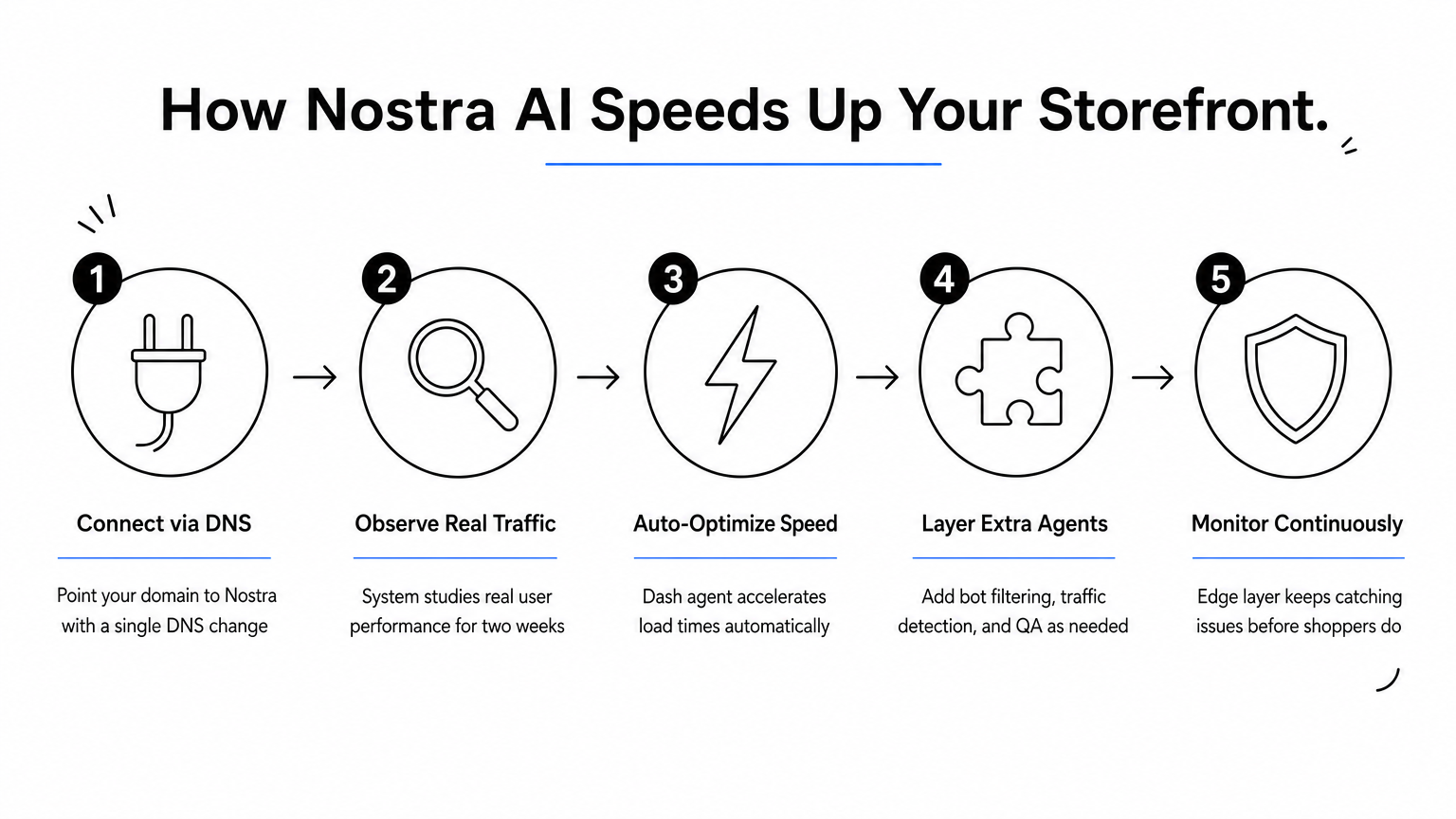
Deployment happens through a single DNS-level change, no code edits, no replatforming, no engineering sprint required. Once connected, Nostra's Dash speed agent monitors real user performance data and accelerates page load times automatically, often cutting load times by up to 47% based on results across the 300+ brands already running on the platform. During the first two weeks, the system observes how your store behaves under real traffic, then shifts into ongoing automated optimization. That combination of monitoring and action is what separates it from tools that only tell you something's wrong.
A landing page experience tool is only as useful as the fixes it triggers, not just the score it displays.
This tool fits mid-size to large ecommerce brands that can't wait on engineering backlogs every time a landing page slows down or a third-party script breaks something on mobile. It's also a strong match for teams already dealing with bot traffic skewing analytics or bloated cookie lifespans shortening attribution windows, since Nostra bundles speed optimization alongside real-time bot filtering at the edge (Knox), AI traffic detection (Sherlock), identity extension (Crumble), and automated QA testing (Patch) in the same edge layer. If your landing page experience problems are really a symptom of a broader storefront performance issue, this consolidates the diagnosis and the fix into one place.
Pricing is quote-based and scales with traffic volume and the number of agents you activate, since brands rarely need every module on day one. Most teams start with the Dash speed agent to address load time and Core Web Vitals, then layer in the rest of the agent suite — Knox, Sherlock, Crumble, or Patch — as specific pain points surface. You can request a walkthrough directly through Nostra AI to see which combination fits your current storefront setup and traffic pattern before committing to a plan.
Google PageSpeed Insights remains the default starting point for anyone diagnosing a slow landing page, and for good reason. It's free, it's backed directly by Google's own ranking signals, and it gives you the exact data on what Core Web Vitals actually measure that shows up in Search Console. If you want a quick landing page experience checker before investing in anything more advanced, this is where most teams start.
You paste in a URL and the tool runs a live audit alongside pulling real-world field data from the Chrome User Experience Report. It scores Largest Contentful Paint, Interaction to Next Paint, and Cumulative Layout Shift separately for mobile and desktop, then lists specific opportunities like unused JavaScript, oversized images, or render-blocking resources. Each recommendation links to documentation explaining the fix, though implementing that fix is still on you.
A free score tells you what's broken. It won't fix a single line of code for you.
PageSpeed Insights suits developers and marketers doing a one-time diagnostic before a redesign, or anyone who wants a baseline reading before comparing against competitors — our complete guide to testing your website speed properly covers the rest of the process. It's less useful for ongoing monitoring since you have to manually rerun it after every deploy, and it offers zero automated remediation.
Completely free with no account or sign-up required, though it's worth knowing whether Lighthouse scores affect SEO before you treat the number as a ranking factor. There's no paid tier, no usage limits, and no API key needed for casual use, though the PageSpeed Insights API does require a Google Cloud key if you're pulling scores programmatically at scale.
Microsoft Clarity fills a gap that speed scores can't touch: watching what actual visitors do once your landing page loads. Speed metrics tell you a page is fast, but they say nothing about whether someone got confused by your form or rage-clicked a broken button. Clarity gives you that behavioral layer, and it does it without charging a cent.
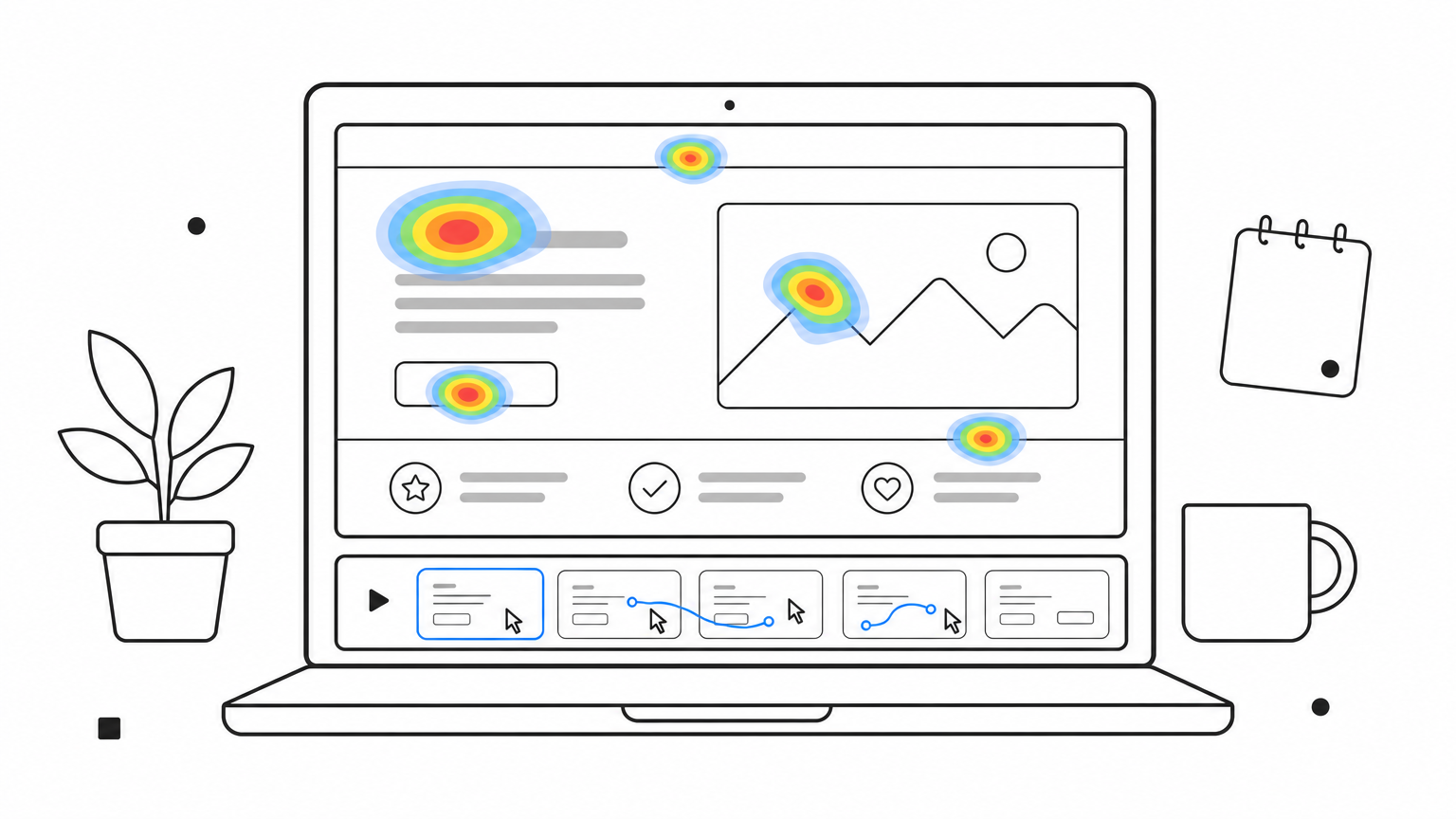
You drop a small JavaScript snippet into your page header, and Clarity starts recording anonymized sessions along with generating heatmaps for clicks, scrolls, and taps. It also flags rage clicks, dead clicks, and excessive scrolling, which are the behavioral signals that usually point to a confusing layout or a button that looks clickable but isn't. Microsoft has also folded in AI-generated insight summaries that surface patterns across sessions instead of making you scrub through hundreds of recordings by hand.
Speed scores tell you a page loads fast. Session recordings tell you why visitors still leave.
Clarity fits marketers and UX teams who need visual proof of a broken step in the funnel, not just a numeric grade. It pairs well with a landing page experience tool focused on speed, since one covers technical performance and the other covers behavioral friction. Teams debugging a specific drop-off point, like a checkout step or a pricing page, get the most value here.
Clarity is completely free, with unlimited sessions and no traffic caps. Microsoft doesn't gate any features behind a paid tier, which is unusual for a tool this capable. The tradeoff is that it's a standalone analytics layer, not part of a broader optimization or automated-fix platform.
Hotjar bundles the behavioral tools you'd otherwise cobble together from three separate apps: heatmaps, session recordings, and on-page surveys. Where Clarity gives you the recording layer for free, Hotjar wraps that same behavioral data in feedback widgets and funnel analysis, aiming to be a single landing page experience tool rather than one piece of the puzzle.
Installing the tracking snippet takes a few minutes, and from there Hotjar starts building heatmaps showing where visitors click, move, and abandon a scroll. Its funnel and trend tools layer session data on top of conversion paths, so you can see exactly which step in a multi-page landing flow loses the most traffic. Surveys and feedback widgets let you ask visitors directly why they didn't convert, which is a layer of insight neither PageSpeed Insights nor Clarity attempts to capture.
Watching where visitors click matters less than knowing why they left without buying.
Hotjar suits growth and CRO teams running structured experiments who want qualitative context behind their quantitative data. It's a strong fit if you're already A/B testing landing pages and need to understand the "why" behind a losing variant, not just the conversion delta. Teams without a dedicated CRO process may find the volume of data harder to act on without a person assigned to review it regularly.
Hotjar offers a free plan capped at 35 daily sessions, which works for low-traffic pages but fills up fast on anything popular. Paid plans start around $32 per month for the Observe suite and scale based on session volume, with separate pricing for the Engage survey tools if you want both bundled together.
Unbounce takes a builder-first approach rather than a diagnostic one. Instead of scoring a page you already built, it helps you construct and test landing pages from scratch, then layers AI on top to suggest which elements are actually holding back conversions. If your problem is a weak page rather than a slow one, this landing page experience tool addresses the root cause instead of the symptom, much like optimizing landing pages for enterprise ecommerce does.
Smart Builder generates page layouts and copy from a prompt, pulling from patterns Unbounce has tested across its customer base. Once a page is live, Smart Traffic automatically routes visitors to whichever variant is converting best for their specific device, source, and location, which goes further than a standard A/B test that just splits traffic evenly. The platform also runs sticky bars, popups, and dynamic text replacement natively, so PPC teams matching ad copy to landing page headlines don't need a separate tool.
Building the right page beats optimizing the wrong one.
Unbounce fits paid media and PPC teams launching dozens of campaign-specific landing pages who need speed of production more than deep technical diagnostics. It suits marketers without a developer on hand, since the builder is fully drag-and-drop. Teams already happy with their page templates but chasing conversion lift through smarter traffic routing get the most out of Smart Traffic specifically.
Plans start at $99 per month for the Build tier, with Smart Traffic and AI features requiring the $199 per month Traffic tier and up. Higher tiers scale by visitor volume and conversion count, and Unbounce offers a 14-day free trial before billing kicks in.
VWO positions itself as a full conversion optimization platform rather than a single-purpose checker, combining testing, analytics, and personalization under one roof. Where Unbounce focuses on building pages, VWO focuses on proving which version of a page actually performs better, making it a natural fit once you already have a landing page live and want data-backed answers instead of guesses.
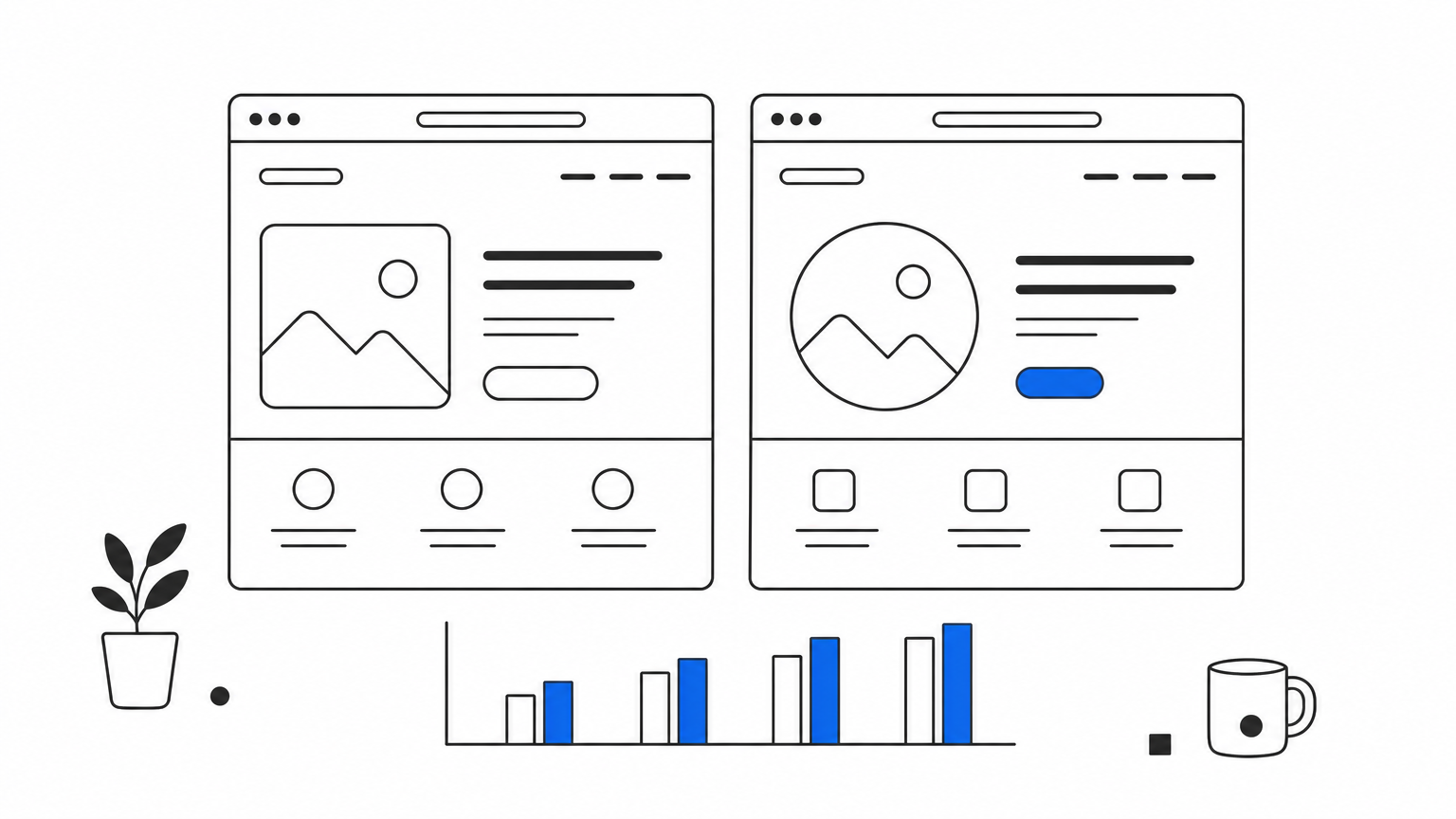
Setup starts with a tracking script, then you build experiments through a visual editor without touching the underlying code. VWO Testing runs A/B, multivariate, and split URL tests, while VWO Insights adds heatmaps, session recordings, and form analytics to explain the results behind each variant. The platform also includes server-side testing for teams that need to experiment on backend logic, not just page elements, which most pure landing page tools skip entirely.
Testing tells you which page wins. Insights tell you why it won.
VWO suits mid-market and enterprise CRO teams running a steady cadence of experiments across multiple landing pages, not a one-off test here and there, and it's one of several conversion optimization platforms worth comparing. It works well for teams that already have statistically significant traffic volume, since underpowered tests just produce noise. Companies mixing marketing and product teams also benefit from the shared platform, since both groups can run experiments without duplicating tools.
VWO offers a free plan limited to basic testing and low traffic volume, useful for evaluating the interface before committing. Paid plans are quote-based and scale with monthly tracked users, with separate pricing tiers for Testing, Insights, and Personalize depending on which modules you need. A 30-day free trial is available on paid tiers before any contract commitment.
Lyssna (formerly UsabilityHub) takes a different angle than the analytics and testing tools above. Instead of tracking existing visitors, it recruits a panel of real people to look at your landing page and tell you what they think before you ever launch it. That makes it less of a landing page experience checker for a live page and more of a research tool for catching problems while a page is still in draft form.
You upload a design, mockup, or live URL, then choose from testing formats like first-click tests, five-second tests, and preference tests. Panelists (either your own recruited users or Lyssna's paid participant pool) complete the tasks and leave written feedback, which the platform compiles into clickmaps and heatmaps showing where attention landed first. A five-second test is especially useful for landing pages, since it tells you whether your headline and hero image communicate your offer before someone scrolls.
A page can pass every speed test and still confuse the first person who sees it.
Lyssna fits UX researchers and marketing teams validating a new landing page concept before it goes live, rather than diagnosing a page that's already underperforming. It's especially useful for testing message clarity, headline strength, or navigation intuitiveness with people who match your target buyer profile, since you can filter panelists by demographic and device type.
Lyssna offers a free plan covering basic tests with limited responses per month. Paid plans start around $75 per month for the Basic tier and scale up based on test volume and access to Lyssna's participant panel, which charges separately per response collected.
Leadpages rounds out this list with a free grading tool built specifically for landing pages, not general websites. It's less a builder platform here and more a quick-scoring landing page experience tool you can run before you even touch the Leadpages software itself. If you just want a number and a punch list, this analyzer gets you there in under a minute.
You paste in a URL and Leadpages scans it for the conversion-related factors behind a good landing page conversion rate: headline clarity, mobile responsiveness, page speed, trust signals like testimonials or badges, and the visibility of your call-to-action button. The tool returns a score alongside a breakdown of what's dragging it down, similar in spirit to PageSpeed Insights but weighted toward marketing and copy elements rather than pure technical performance. It won't fix anything automatically, but the report reads more like a conversion checklist than a developer console.
A grading tool works best when it tells you what to fix, not just how bad the problem is.
This fits solo marketers and small teams who want a fast gut-check on a page before launching a campaign, especially those without access to a full CRO stack. It's a reasonable first stop if you're deciding whether a page needs a deeper audit from a tool like VWO or Unbounce, since it flags obvious issues (missing CTA, weak headline, slow load) without requiring any setup.
The analyzer itself is free and doesn't require a Leadpages account to run. The broader Leadpages platform, which includes page building and hosting, starts at $37 per month on annual billing, but you don't need that subscription to use the grading tool on its own.
Most teams end up using two or three of these tools together, not just one. Grab Google PageSpeed Insights for a free baseline, add Clarity or Hotjar to see actual visitor behavior, and bring in Lyssna or Leadpages when you need outside eyes on a page before launch. That combination covers diagnosis well. What it doesn't cover is the fix.
Speed problems, bot-inflated analytics, and shrinking cookie windows tend to resurface every few weeks unless something is actively watching your storefront. That's the gap a landing page experience tool built for continuous monitoring closes, and it's why ecommerce teams juggling multiple storefronts lean on automation instead of rerunning reports by hand. If you're tired of collecting scores and want a system that acts on them, see how Nostra makes your site impossibly fast and check whether its edge agents fit your current stack.


.svg)
