.svg)
.svg)
.svg)
.svg)
How to Test Your Website Speed
Your site's speed isn't just a technical number anymore — it's a conversion lever in 2026.
And in an age of ever-increasing user expectations, fast-evolving browsers, unending Core Web Vitals updates, and the rise of AI answer engines, speed testing deserves your attention more than ever.
The good news is, Nostra's free Speed Test tool makes it easy to run initial benchmarks for further optimization. But adopting a new tool alone won't be enough to get noticeable site speed improvements.
In this article, we'll make sure you know what to test, which metrics to focus on, and how to achieve substantial performance gains with proven strategies in 2026.
Why Website Speed Still Matters in 2026
Site speed has been an important performance indicator for online brands since Google designated it as a ranking factor in 2010.
Fast forward to today, its role in securing profitability for online brands is much bigger.
Let's look at the facts:
- Ecommerce websites that finish loading in 1-2 seconds can have 300% higher conversion rates.
- Bounce rate (users leaving without interacting) can increase by 32% if page load time extends from one second to three seconds.
- 70% of consumers factor in page speed when it comes to their online purchase decisions.
- Roughly $18 billion is lost annually to shopping cart abandonment, which is caused by a poor checkout experience and slow page speed.
Must-read: How Website Performance Impacts Conversion Rate
Focusing on site speed will also help you adapt to emerging trends like mobile-first design, Answer Engine Optimization (AEO), and headless commerce.
Without a solid performance as a foundation of your online business, incorporating these things might cause your entire website architecture to collapse performance-wise.
Of course, there's also the upcoming sales seasons — including Black Friday and Cyber Monday — putting more pressure on website owners to bolster performance before traffic ramps up.
And if you have a heavy tech stack or personalization-rich pages, website speed testing and optimization should come first before any major CRO or marketing push.
Key Metrics to Test in 2026
Before we crack your website's performance code, let's do a quick overview of the important metrics you should watch out for:
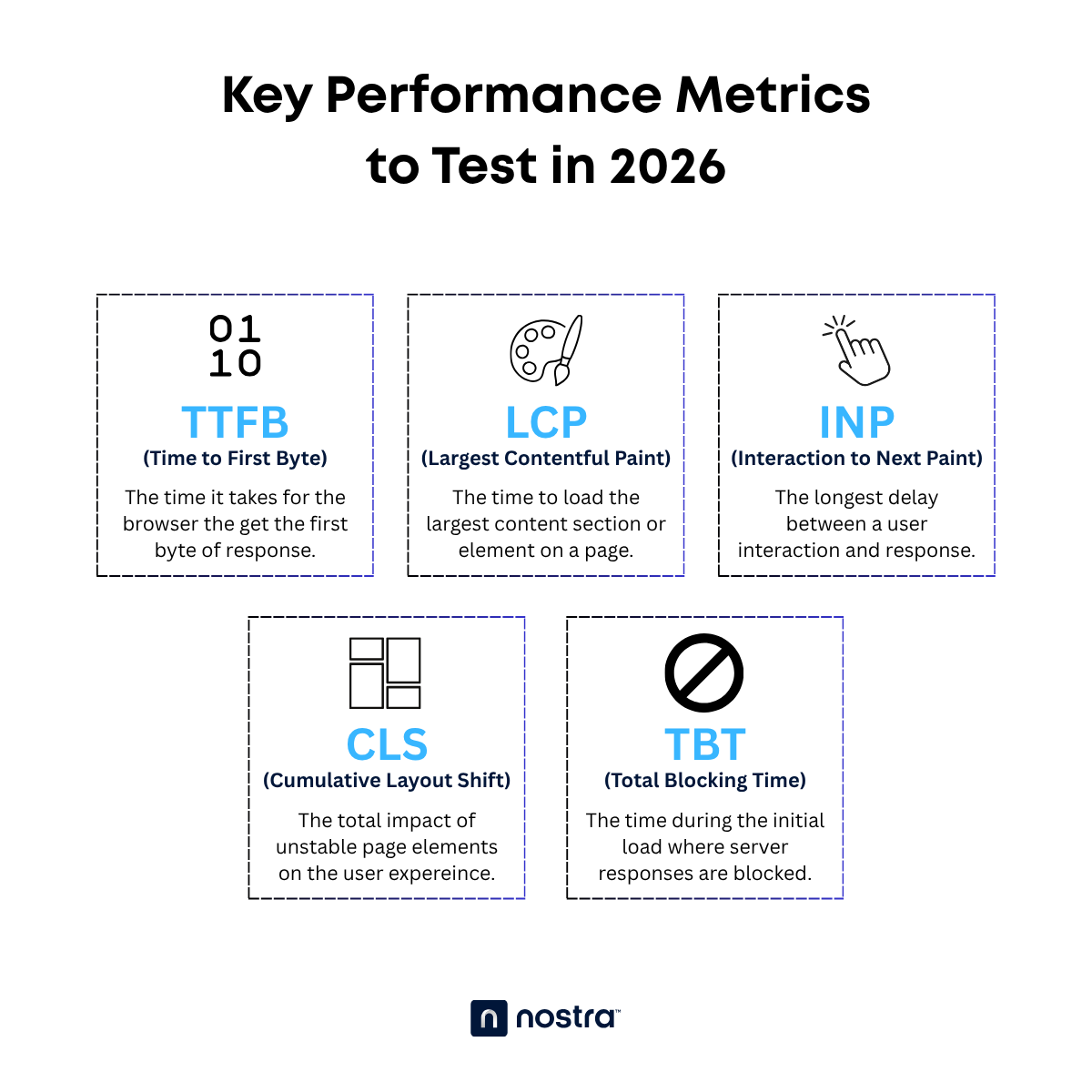
- Time To First Byte (TTFB) — TTFB measures the time (in milliseconds) it takes for the user's browser to receive the first byte of response from a website after an HTTP request.
- Largest Contentful Paint (LCP) — The time it takes to finish loading the biggest content section or element on a page.
- Interaction to Next Paint (INP) — Measures the longest latency or delay between a user interaction and the server response.
- Cumulative Layout Shift (CLS) — Quantifies the total effect of unstable elements or "layout shifts" in terms of distance and impact on the page experience.
- Total Blocking Time (TBT) — A chunk within the initial load time where server responses are blocked by main thread tasks.
- First Contentful Paint (FCP) — The time it takes to load the first visible section or element on the user's screen.
These metrics help translate the impact of page performance on real-world user experiences. Core Web Vitals metrics (LCP, INP, and CLS) are also important ranking factors, which means optimizing for them will improve your content's chances of receiving organic traffic from search engine results.
Of course, you can't improve something you don't measure.
This brings us to speed testing tools like Nostra AI's Speed Test, which can capture real-world performance across devices and networks by tracking your Core Web Vitals.
How to Run a Speed Test: Step-by-Step
Without further ado, here are the steps in running speed or performance tests that produce actionable insights:
Step 1: Choose which page(s) to test
While great page performance is important in every part of a website, some components need it more than others.
Key entry pages or "landing pages," in particular, could make or break your ecommerce business. Some specific examples are:
- Homepage
- Product Details Page (PDP)
- Checkout page
- Category/Collection page
Optimizing these pages can directly affect your bottom line, which is why they should be at the top of your speed testing queue.
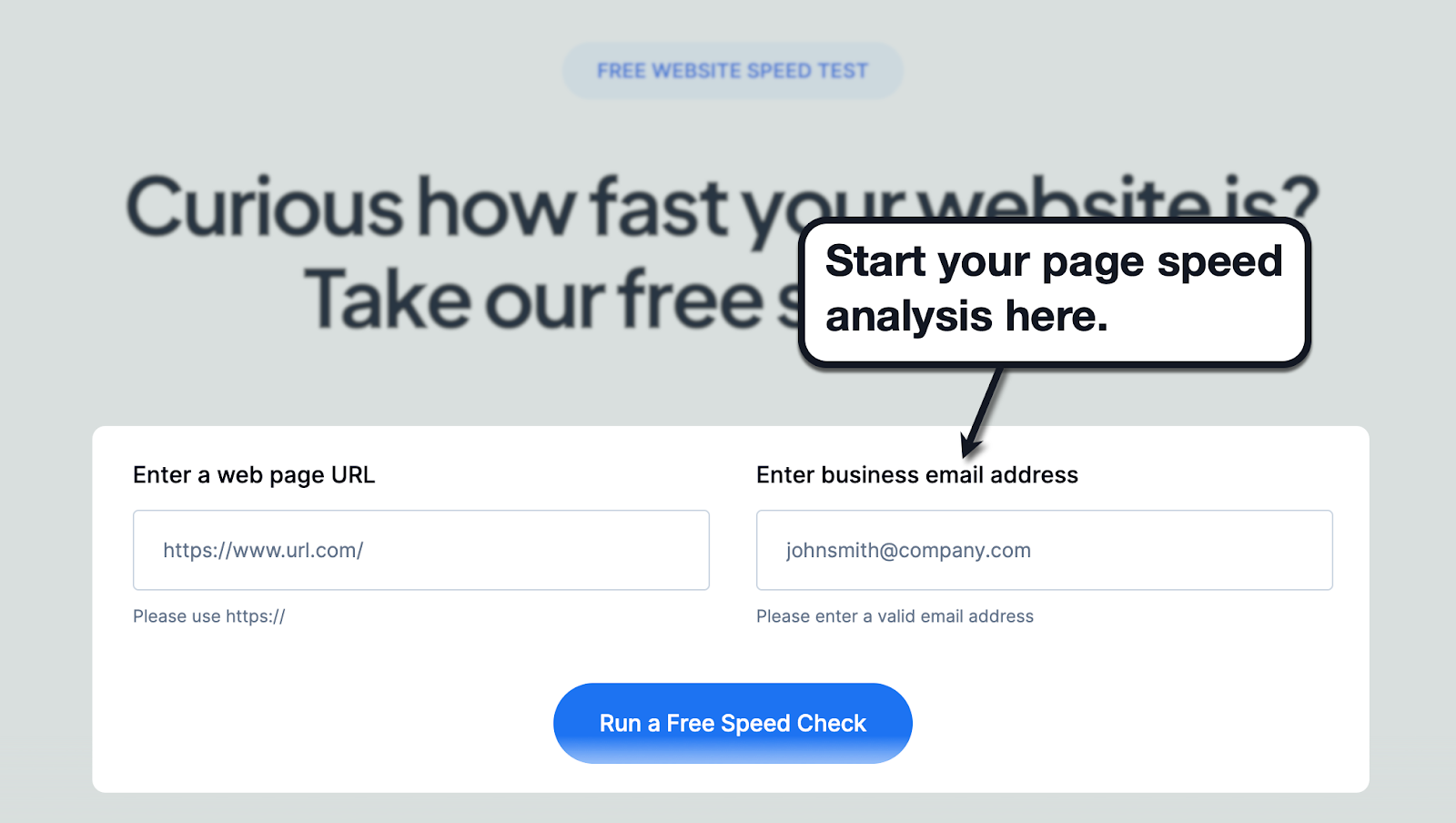
Run a preliminary analysis with Nostra AI's free Speed Test tool here. Just enter the URL you want to analyze, as well as your email address, and click 'Run a Free Speed Check.'
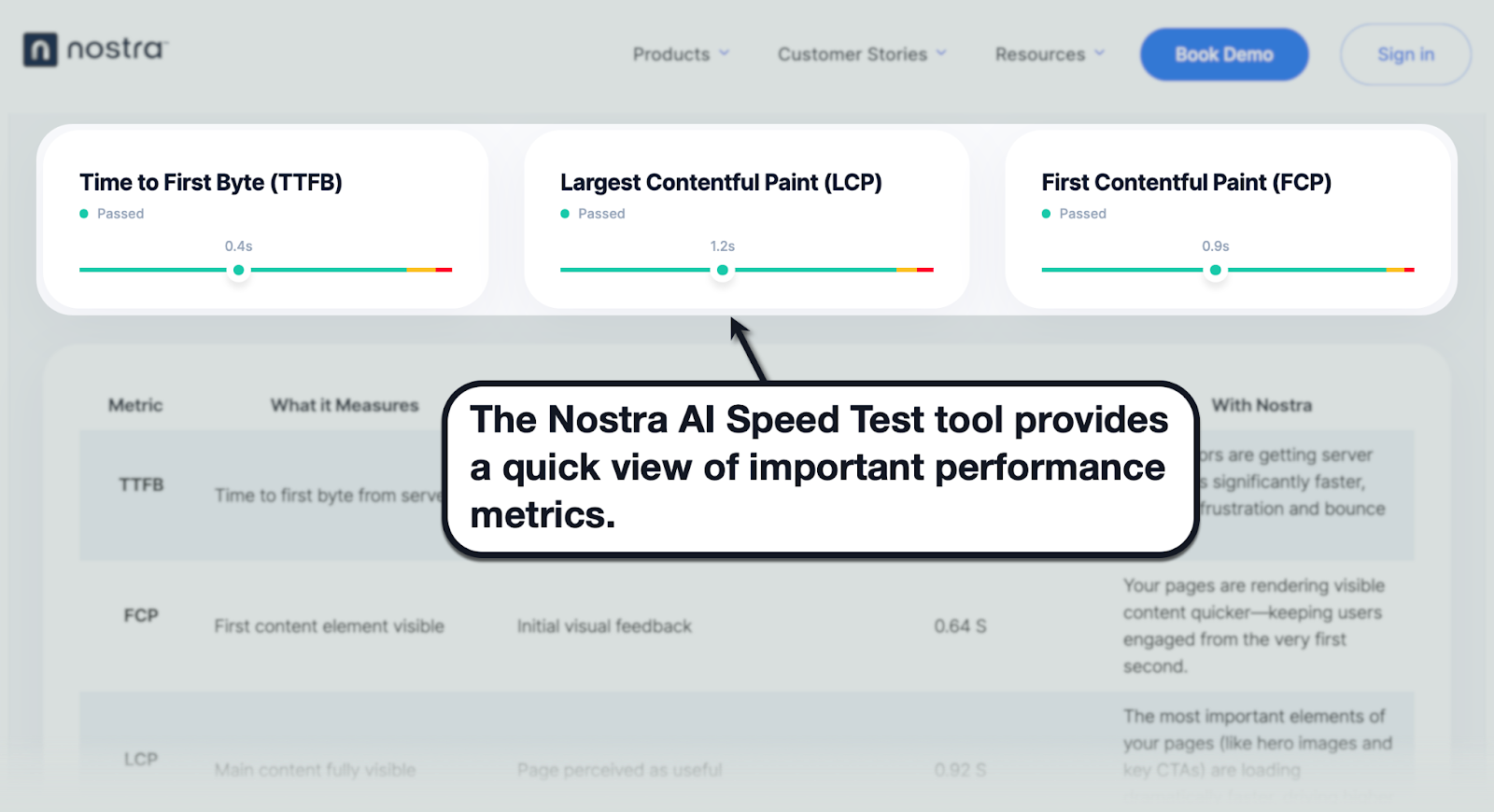
Within seconds, the tool generates a report on crucial performance metrics, namely TTFB, LCP, and FCP.
Step 2: Choose test conditions
When running speed tests, you need to recognize that the reports you get from tools don't always reflect real-world scenarios.
You need to factor in variables like device used, location, and potential network throttling.
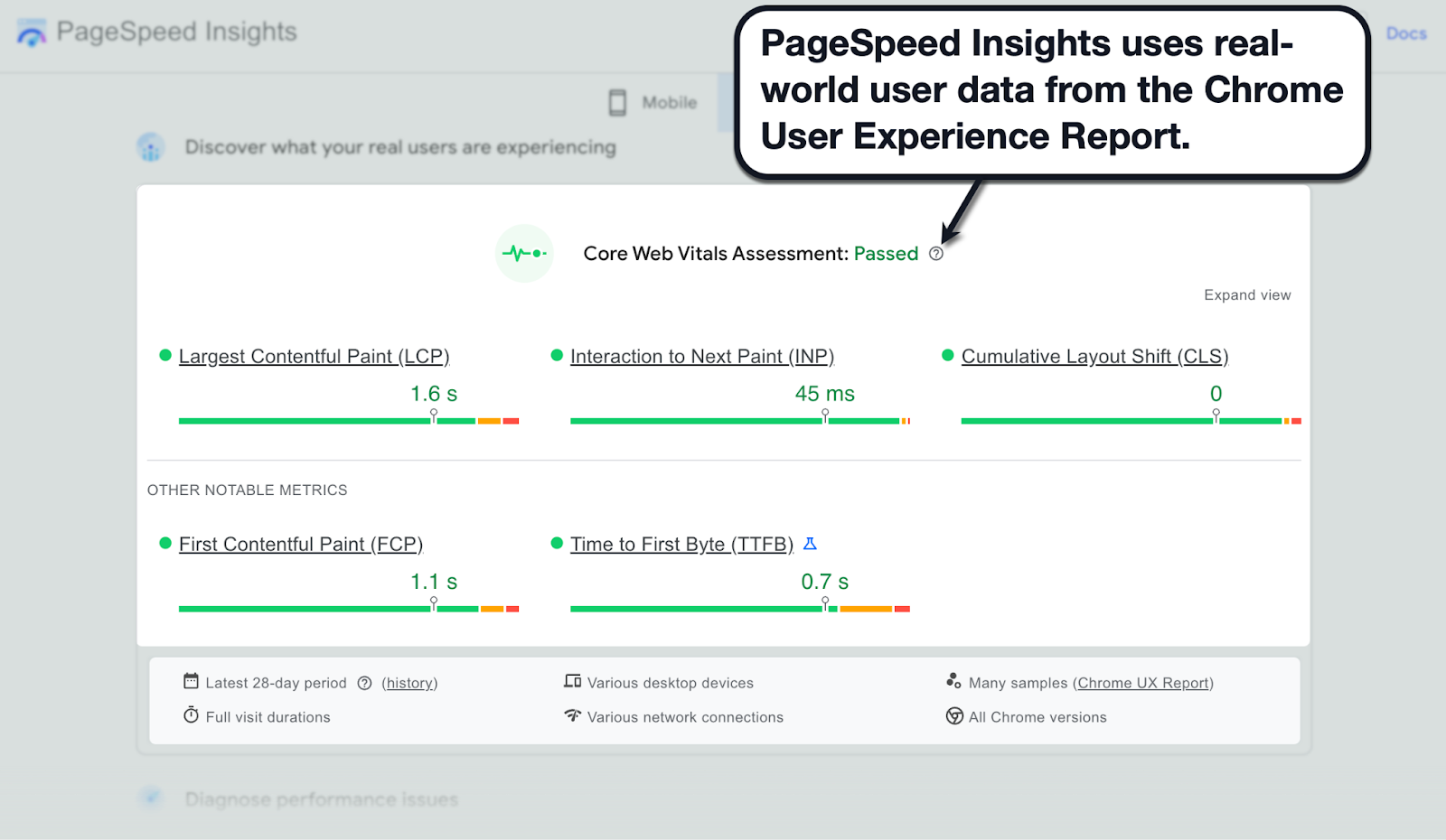
PageSpeed Insights is a tool that addresses these variables by sourcing performance data from real-world sessions through the Chrome User Experience Report (compiled performance data from shared usage statistics).
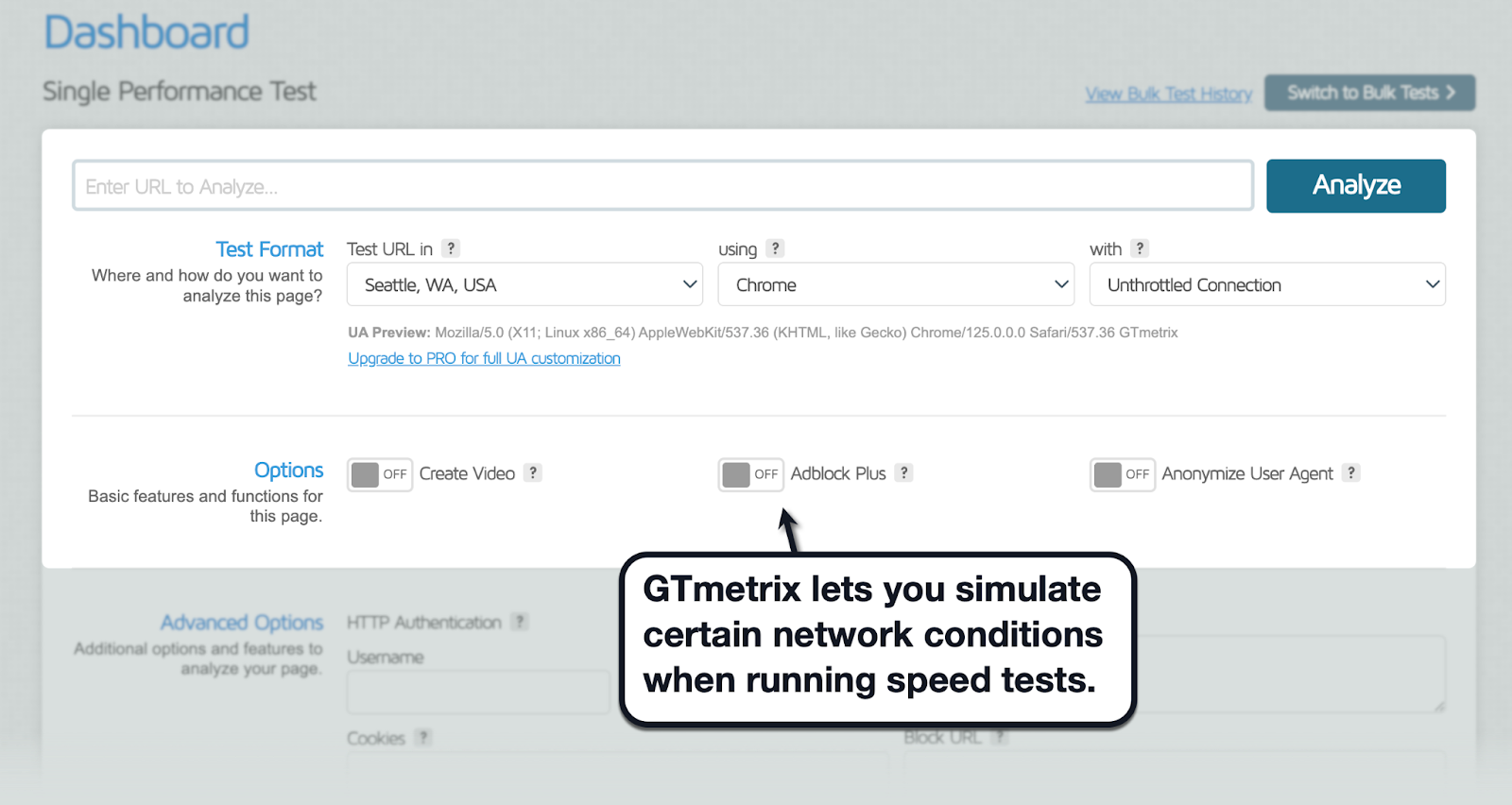
But if you need to test specific user conditions, you may turn to more customizable speed testing tools like GTmetrix. This allows you to simulate session conditions, including network throttling, location, browser, and more.
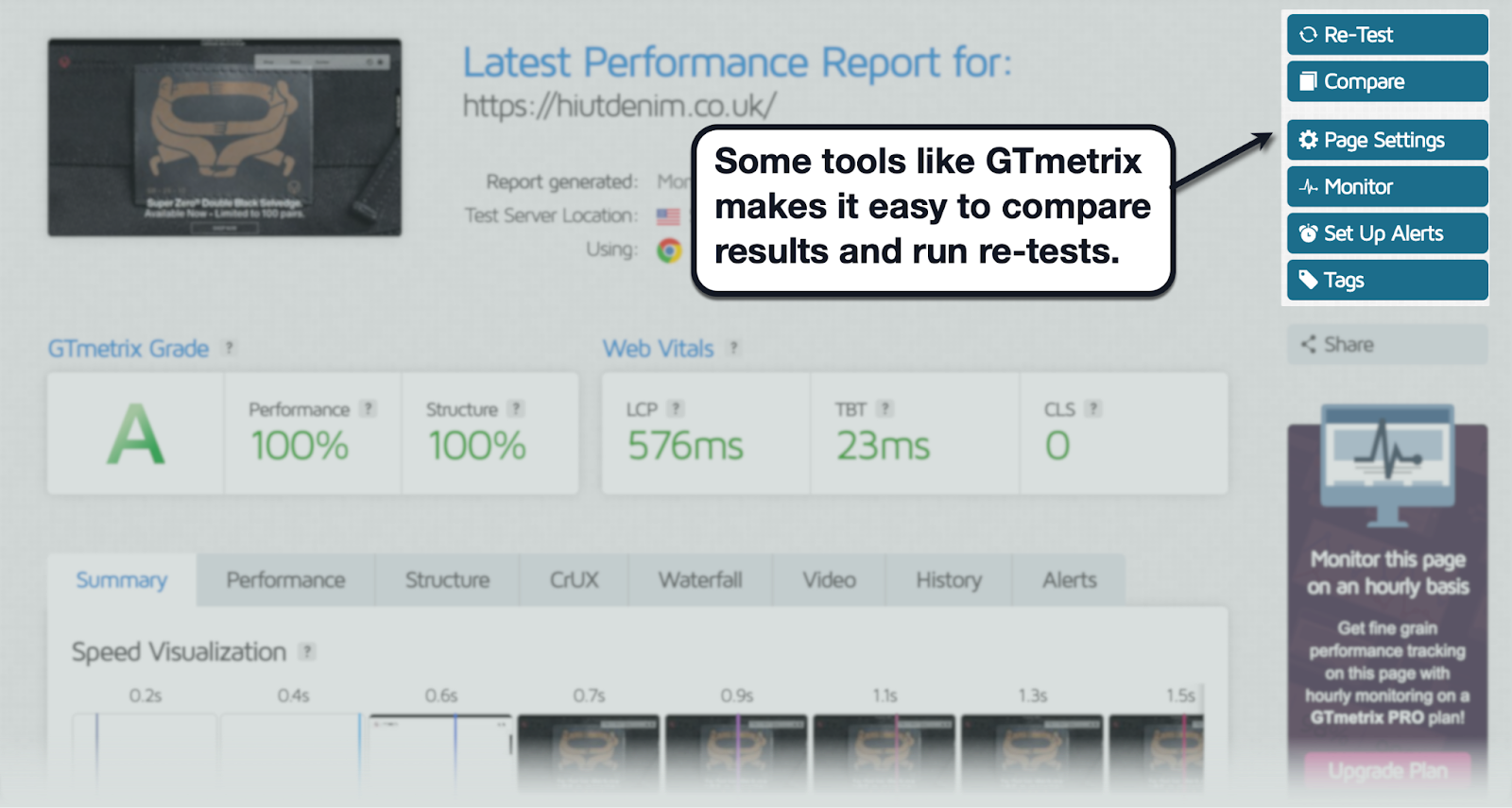
In addition, you can easily run multiple tests or set up tests in bulk using GTmetrix's built-in tools. Consider going for 3-5 tests to ensure you're getting accurate results while including both mobile and desktop reports.
Must-Read: 10 Best Website Optimization Tools
Step 3: Review results & metrics
Regardless of the tool you use, you should be able to track the key performance metrics you need.
This includes your Core Web Vitals metrics, namely LCP, TTFB, FCP, INP, and CLS.
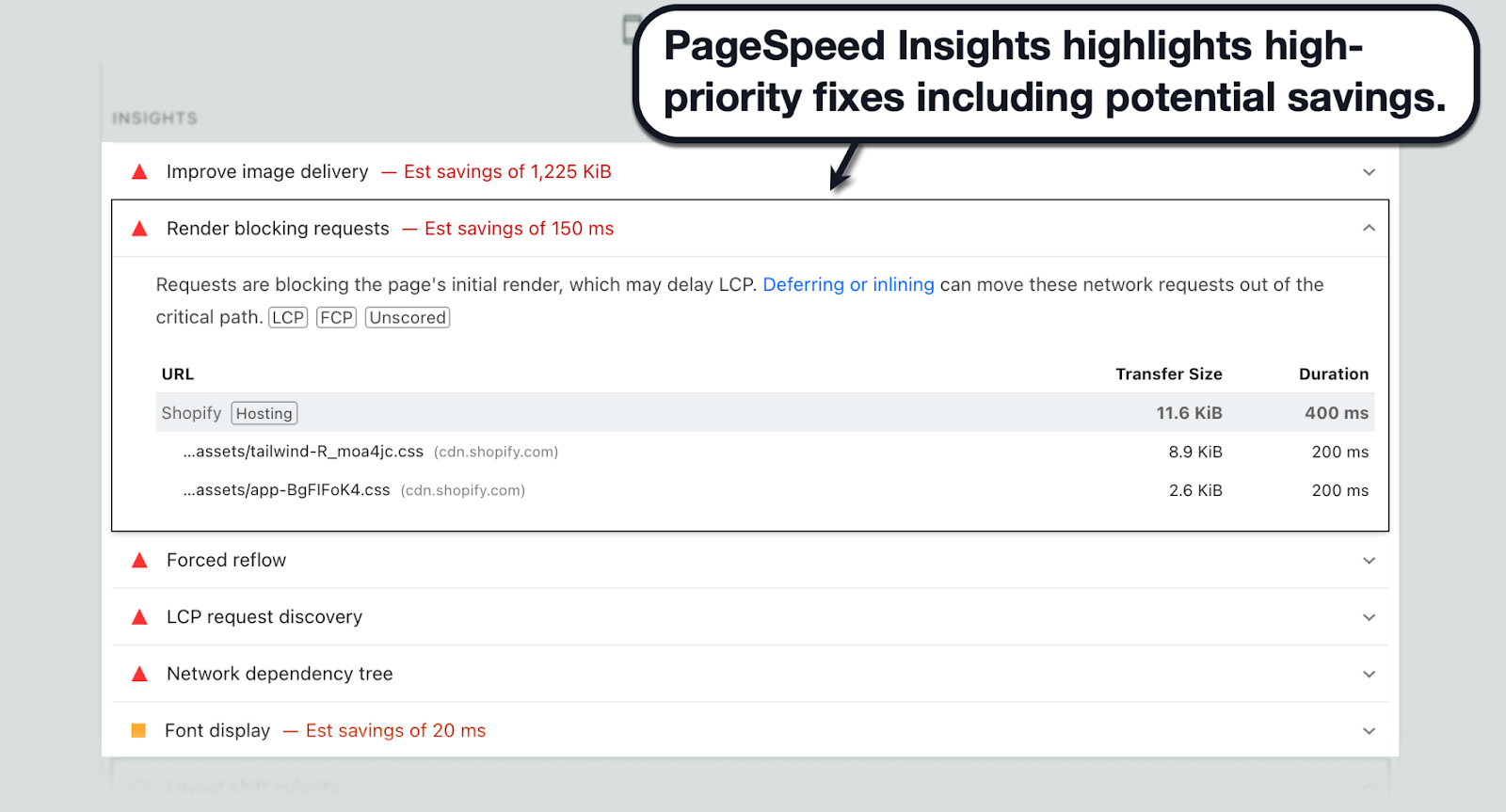
Most tools also provide additional insights that will tell you exactly what you need to do. For instance, with PageSpeed Insights, scroll down to the "Insights" and "Diagnostics" sections to identify the exact elements causing performance-related issues.
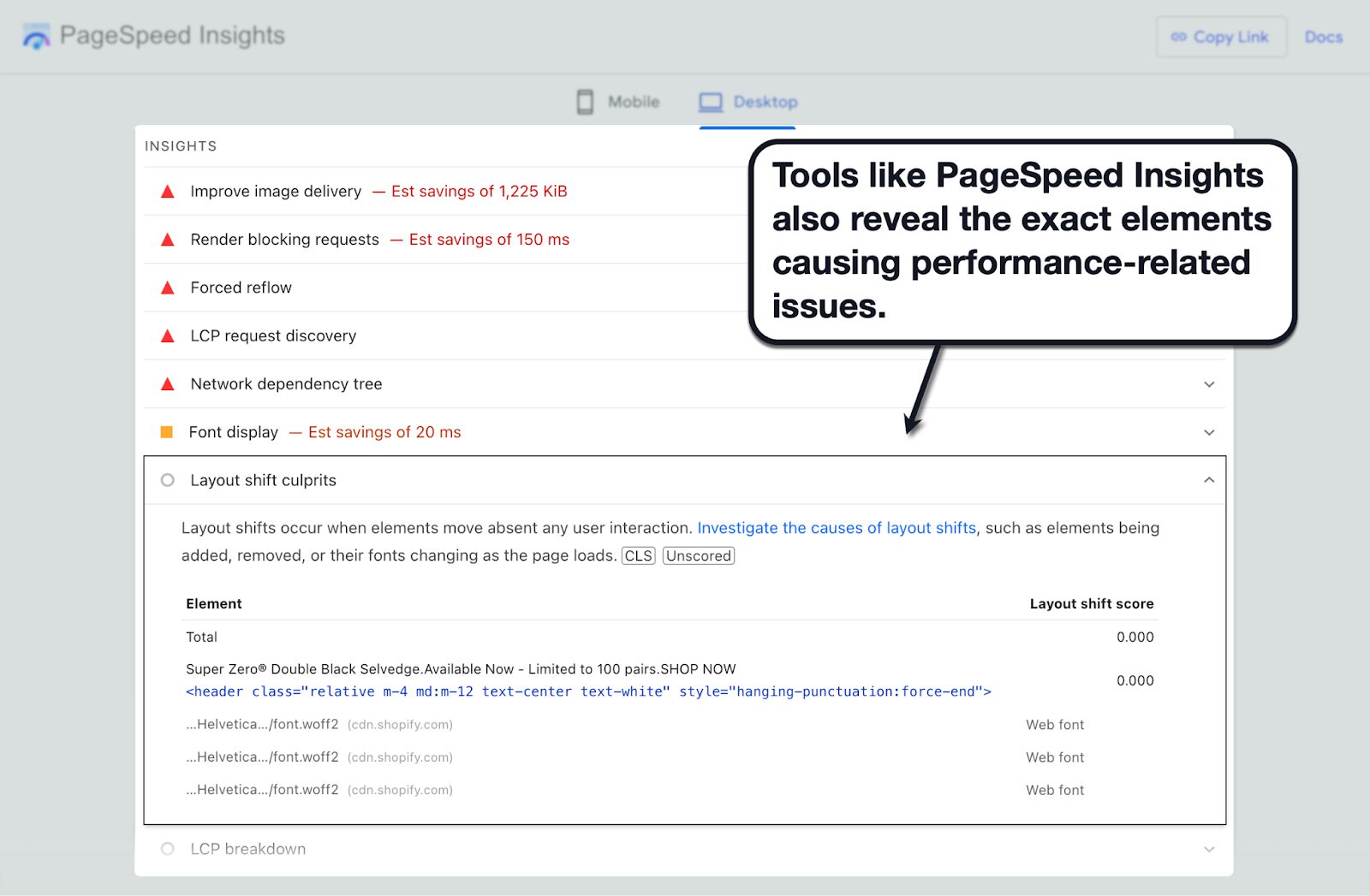
At the same time, performance optimization tools should also automatically highlight high-priority issues that have a significant impact on the page experience. At the same time, look for low-effort, high-impact optimization opportunities like compressing large images, removing render-blocking JavaScript, and so on.
Step 4: Benchmark and set goals
Now that you know which metrics to track and how to track them, it's time for some concrete goals.
According to Google, here are the recommended targets for the main Core Web Vitals metrics:
- LCP — 2.5 seconds or less
- INP — 200 ms or less
- CLS — 0.1 CLS score or less
- FCP — 1.8 seconds or less
- TTFB — 0.8 seconds or less
Record your initial Core Web Vitals metrics as a baseline for ongoing monitoring. Check the updated values regularly, especially if your optimization efforts are in full swing.
This leads to the next step…
Step 5: Share results and prioritize fixes
Finally, it's time to roll up your sleeves and get to work.
The first step is to share your performance reports with key individuals within your team. This could be your web developer, SEO specialist, or any stakeholder who calls the shots in terms of website management.
Start with high-priority fixes that have a considerable impact on performance.
Thankfully, tools like PageSpeed Insights make these fixes easy to spot. The report also includes the estimated size or loading speed savings for each element you optimize.
Pro Tip: Consider automating regular speed tests — especially after site changes or around high-traffic events.
Common Pitfalls and How to Avoid Them
Ready to start testing and gaining control of your website's performance?
To make sure you're getting accurate results, here's a quick rundown of the common performance analysis pitfalls you should avoid at all costs:
- Testing only in lab conditions. Make sure you use speed testing tools with configurable conditions or pull Core Web Vitals data. Doing so ensures your analysis is founded on real-world user experiences, not isolated inside sanitized lab tests.
- Ignoring mobile and slow network conditions. Don't forget that not all of your users have top-quality network connections. Be sure to experiment with different connection types when running speed tests, including mobile data connections.
- Testing one page only. Make sure you're not only focusing on your home page when running speed tests. While you should ideally scan your entire site, focus on key pages within the conversion funnel (i.e., PDP, checkout page, and special offer page).
- Not repeating tests. A single speed test is never enough to fully diagnose your website's performance. The recommended frequency of speed testing is at least once per month, but you should always aim to run more tests when implementing optimizations or anticipating traffic fluctuations.
- Ignoring the larger stack. Front-end frameworks, third-party scripts, personalization widgets, and everything inside your website architecture can have an impact on page speed. When it can't be helped, be open to measures like switching to a hosting provider with better uptime, performance, and security.
Remember, even the best speed testing tools won't change anything if your infrastructure is practically maxed out and throttled. This is where network optimization layers and solutions, like Nostra AI's Edge Delivery Engine, can come in and ensure consistent performance across heavy stacks.
How to Use Your Results to Improve Performance
Speed testing is just a small part of performance optimization.
You need action to bridge the gap between information and action. And to get the ball rolling, here's a quick list of proven strategies to address the most common performance-related issues on websites:
- Upgrading your backend infrastructure — Upgrade to a more capable web hosting solution or tap into edge delivery networks to widen your website's bandwidth capabilities. These will have a direct impact on your website's TTFB as well as FCP.
- Optimizing your assets — Unoptimized assets are the number one culprit in most sluggish web pages. Be sure to use compression or next-gen formats (i.e., WebP) on your visuals as well as code minification on scripts and stylesheets, improving your FCP and LCP.
- Implement intelligent loading techniques — Render-blocking resources like non-essential JavaScript and CSS are primary bottlenecks to your TBT and INP. Improve these Core Web Vitals with techniques like lazy, deferred, or asynchronous loading across these assets.
- Prevent layout shifts — Not only are sudden layout shifts jarring to users, they also lead to poor CLS scores. A simple way to fix this is to use CSS placeholders for elements with "min-height" and "min-width" properties, which in turn reserves space for elements before they're loaded and reduces page instability.
Remember, performance improvements and CRO go hand in hand.
Faster pages mean higher conversion rates, which is why you should incorporate ongoing performance monitoring into your development pipeline. Be sure to re-test after each major update, marketing campaign, or events that correspond to traffic surges.
Don't forget: Speed is the foundation. Once your website's performance is stable, move on to UX, dynamic personalization, and checkout process optimizations.
Must-Read: The Ecommerce Personalization Playbook
Conclusion
Testing website speed in 2026 isn't optional. It's a crucial component of ecommerce UX, SEO, and revenue optimization strategies.
The Nostra Speed Test is an excellent starting point for any online brand — providing baseline data to guide your next move. Make it your first step towards building a fast, scalable, and high-conversion ecommerce website.
Ready to test your site?
Visit the Nostra Speed Test tool and see how fast (or slow) your site is — and what to fix next.


