Bots hit your store all day. They scrape prices, stuff carts, test stolen cards at checkout, and inflate your session counts until your analytics stop making sense. If you have seen a burst of fake orders or a conversion rate that suddenly dropped, you are probably dealing with automated traffic. Setting up Shopify bot protection is how you stop it.
Here is the short answer. Shopify blocks a lot of abuse by default, including checkout bot mitigation and fraud analysis. It does not filter bots from your storefront pages, your ad landing pages, or your analytics. For that, you need extra layers: tighter checkout settings, order review rules, and a bot protection app for Shopify or an edge-level service that blocks bad traffic before it reaches your store.
This guide walks through each layer in order. You will see what Shopify's built-in protection covers, how to spot fake orders, which settings to change today, and how to compare bot protection apps. We built Nostra AI's Knox agent to block bots at the edge, so we also explain what edge-level blocking adds for Shopify Plus brands.'
Shopify gives you a solid baseline, but it was built to protect the checkout, not your whole storefront. Knowing where that line sits tells you which gaps you need to close yourself.
Shopify runs checkout bot mitigation on every plan. It rate-limits suspicious checkout requests and challenges sessions that look automated. It also adds a CAPTCHA to customer login, contact, and newsletter forms, which stops the crudest spam signups.
Fraud analysis works differently. It scores each order as low, medium, or high risk using signals like address mismatches and IP location. It flags risky orders after they are placed, so you still have to review and cancel them yourself.
| Layer | What Shopify does | What is left open |
|---|---|---|
| Checkout | Bot mitigation, rate limiting | Slow, low-volume card testing |
| Forms | CAPTCHA challenge | Bots that solve or bypass it |
| Orders | Fraud analysis flags risk | Manual review and cancellation |
| Storefront pages | Nothing | Scrapers, cart stuffers, ad clickers |
| Analytics | Nothing | Bot sessions counted in GA4 |
Bots that only browse never touch checkout, so nothing stops them. They scrape your prices, burn through paid clicks, and inflate sessions and drag down conversion rate. Shopify Plus bot protection follows the same pattern. You get more checkout control and Flow automations, but no filter for storefront traffic.
Shopify protects your checkout. It does not protect your traffic.
That gap is why a Shopify bot protection app exists. The best bot protection app for Shopify sits in front of your store and judges each request before it loads a page. The next four steps show you how to find the problem, tighten the native settings, and add that outer layer.
Before you change any settings, find out what you are fighting. Shopify bot protection works best when you match each fix to a real pattern, and those patterns show up in two places: your orders and your analytics.
Sort Orders by date in your Shopify admin and look for clusters within minutes that share traits. Card testing attacks and fake orders usually look like this:
Then open one order and read the risk analysis box. Three or more matching signals mean you have a bot problem, not a few bad customers.
In GA4, go to Reports, then Acquisition, then Traffic acquisition. Bots rarely buy, so bot traffic in GA4 stands out in engagement and conversion data. Watch for:
Fake orders show up in your admin, but most bot traffic only shows up in your analytics.
Write down what you find. The pattern tells you whether to focus on checkout, forms, or storefront traffic in the next steps.
Native settings are free and take about 15 minutes. They form the core of Shopify bot protection, so set them up before you pay for anything else.
Start in Settings, then Payments, and open Shopify Payments. Under card verification, turn on CVV and postal code checks so mismatched cards decline automatically. Then switch payment capture to manual. This lets you review risky orders before charging the card, though you must capture within seven days.
Decline bad cards at payment, and review risky orders before you capture the money.
Next, let Shopify Flow handle the sorting. Build one workflow so you never scan orders by hand:
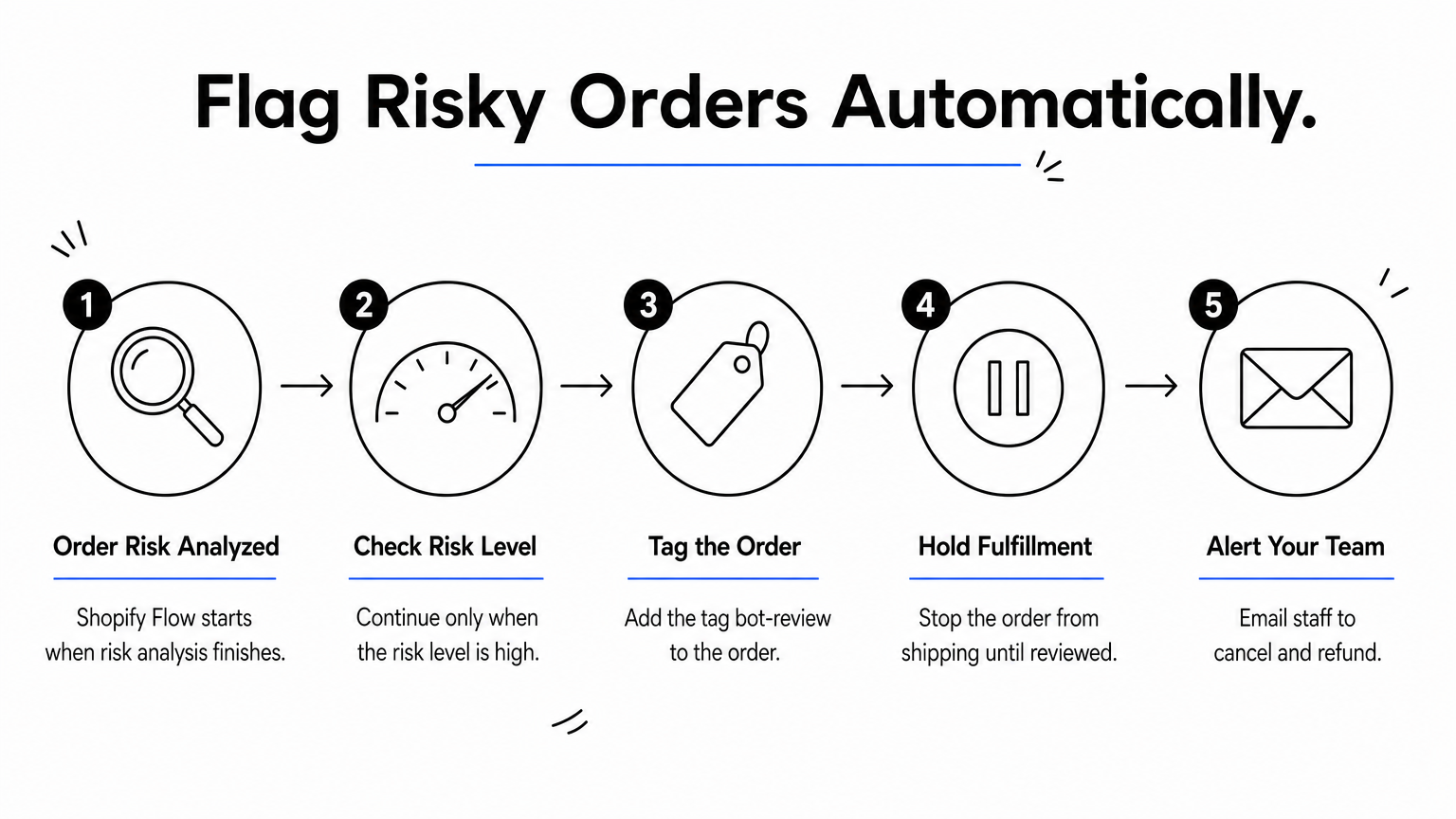
Tagged orders give you a clean queue to cancel and refund before anything ships.
Finally, confirm that spam protection is active on your theme's contact and login forms. Test each form in a private window. Native tools cut the obvious abuse, but they act at checkout and on orders. Browsing bots still get through, which is why the next step covers the forms and accounts they target.
Bots go after anything that accepts input. Once your native settings are on, close the doors they use most. This step makes your Shopify bot protection harder to get around without slowing down real shoppers.
Open Online Store, then Preferences, and confirm that spam protection is enabled. Then switch to new customer accounts, which sign people in with a one-time email code. With no passwords to guess, credential stuffing attacks have nothing to work with.
Check each remaining form against this list:
Card testers need volume, so take it away. Set quantity limits per product and per order with a purchase limit app. Shopify Plus stores can enforce the same rules with checkout validation built on Shopify Functions.
Make every fake order cost a bot more effort than it is worth.
Also watch your discount codes. Bots hammer them with guesses, so use long, unique codes and cap redemptions at one per customer. Requiring an account at checkout stops most scripts, but it also costs you real conversions. Use it only when the abuse is severe, and turn it off once you have a stronger layer in place.
Native settings stop checkout abuse, but browsing bots never reach checkout. To close that gap you need protection that judges every request, not just orders. You have two options: an app installed in your theme, or an edge layer that sits in front of your store.
Before you install anything, hold each candidate to a short checklist. The best bot protection app for Shopify passes all of these:
A bot you block at the edge never becomes a session, a click, or a cost.
Nostra AI's Knox agent works at the edge, so it blocks bots before they reach Shopify. It needs only a DNS change and no code. Setup runs like this:
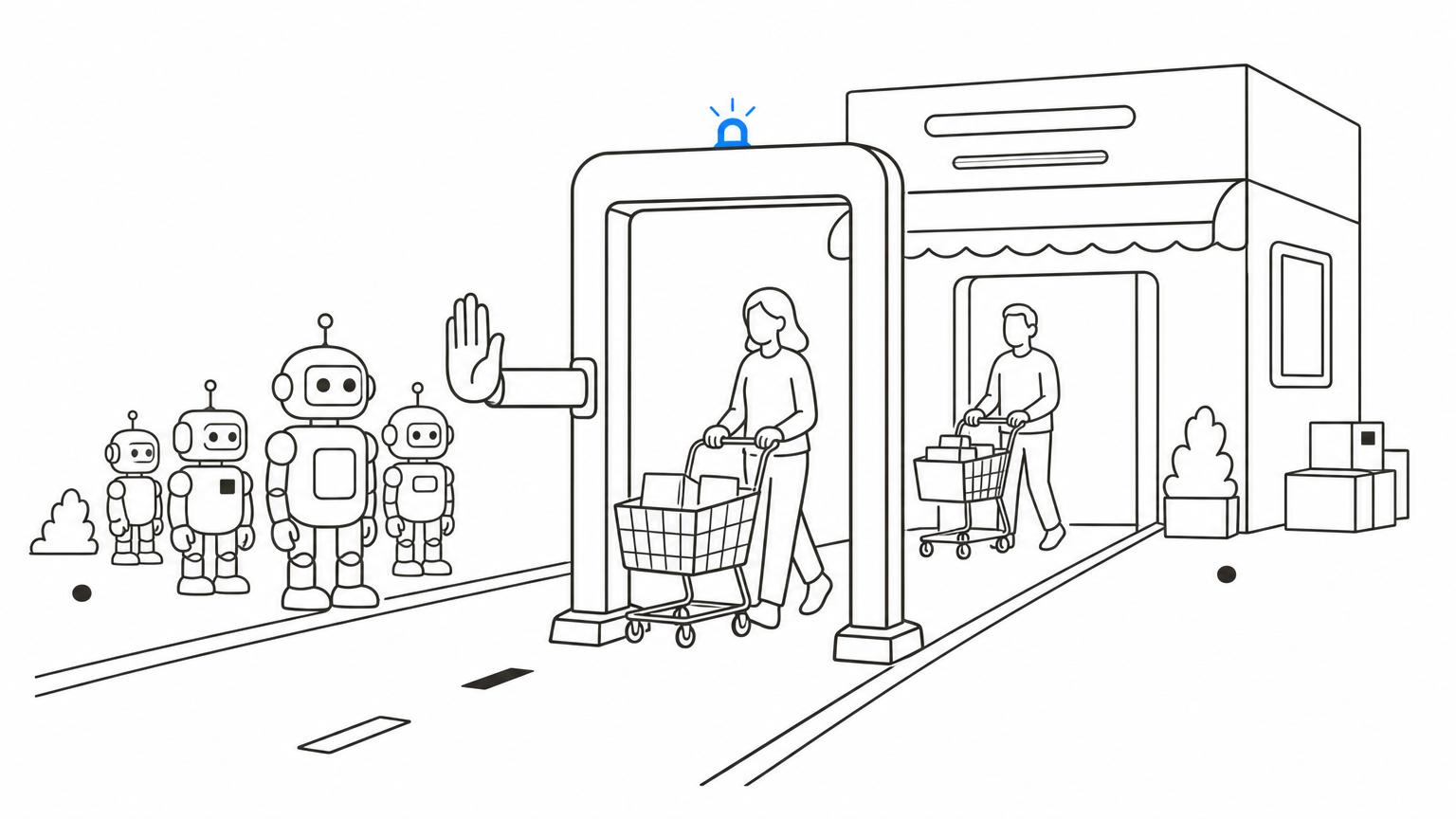
Across the platform, Nostra AI blocks over 10 billion bots a year. For you, that means cleaner analytics and less ad spend wasted on clicks that never convert. Compare your conversion rate and paid traffic before and after, so you can see the difference.
Good Shopify bot protection comes in layers. Shopify secures your checkout, your own settings tighten orders, forms, and accounts, and an edge layer filters the storefront traffic Shopify never sees. Skip one layer and bots will find the gap.
Treat this as a routine, not a one-time project. Review your orders and GA4 data once a month, because bot tactics change. Keep your Flow workflow running, and check your block logs for false positives so real shoppers never get stopped.
Ready to stop bots before they reach your store? See how Edge Protect from Nostra AI blocks bad bots in real time. You get cleaner analytics, protected ad spend, and only real shoppers in your funnel, all from a DNS change with no code and no downtime.


.svg)
