.svg)
.svg)
.svg)
.svg)
TL;DR: A card testing attack on Shopify is a bot script hammering your checkout with stolen card numbers to find which ones still work. The tell is a sudden spike in declined transactions, tiny order values, junk customer names, and traffic concentrated on a single low-priced product. The damage is not the fraud itself, it is the chargeback rate, the issuer distrust that suppresses your legitimate approvals, and the checkout slowdown during the attack. Stop it by filtering bots before they reach checkout, not after.
What you will find in this guide
- What a card testing attack looks like
- Why Shopify checkouts are targets
- How to detect it in your first hour
- The real cost
- How to stop it at checkout
- Why edge filtering works better
- Your 24 hour response playbook
- FAQ
What a card testing attack on Shopify actually looks like
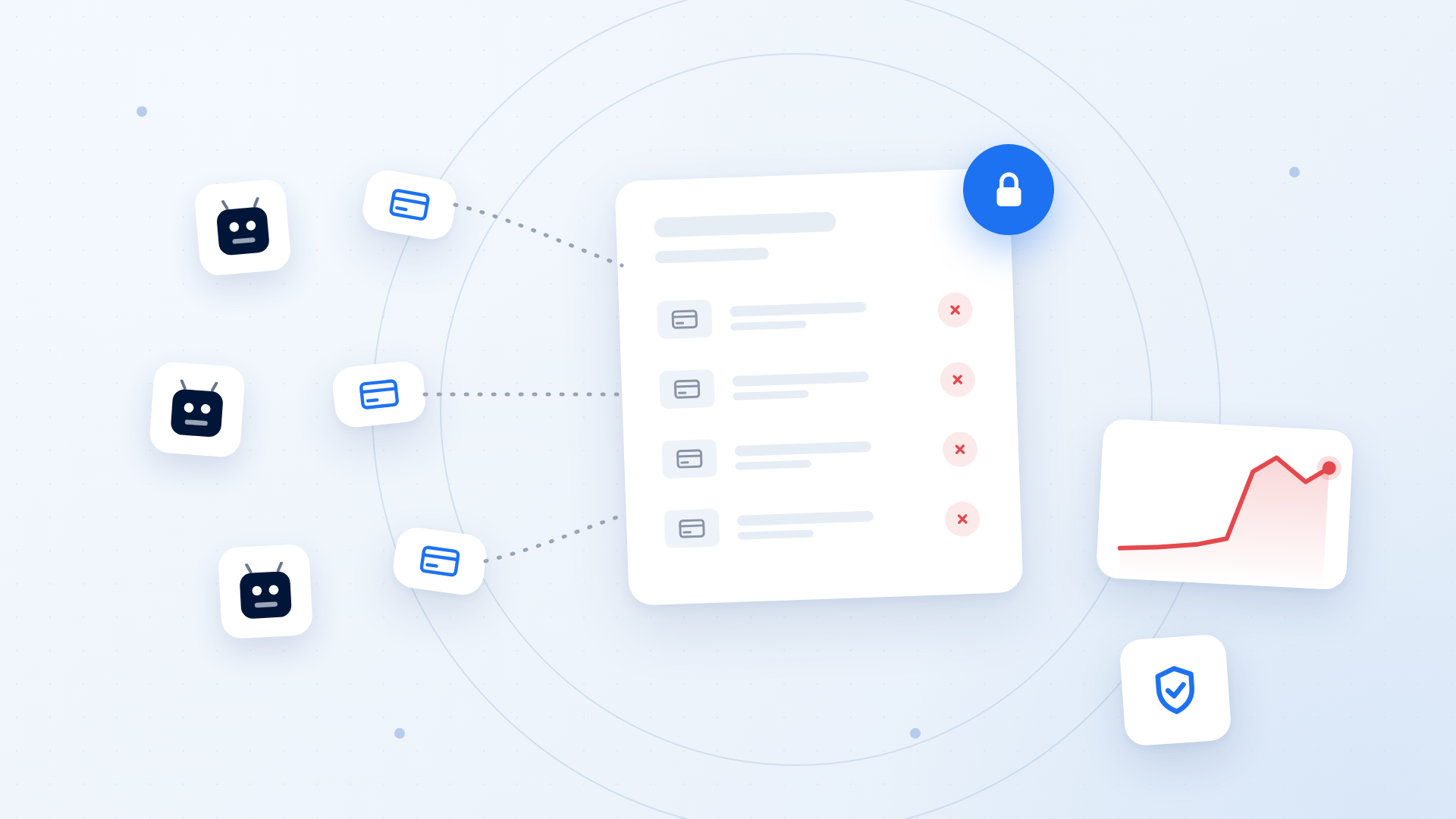
Card testing attacks on Shopify are the quietest expensive problem in ecommerce. Somebody buys a batch of stolen card numbers, and before they can spend them they need to know which ones are still live. So they point an automated script at a real store's checkout and run hundreds or thousands of tiny transactions, watching which ones authorize and which ones decline. Your store is not the target. Your store is the testing equipment.
Shopify's fraud prevention documentation calls this carding, account testing, or card enumeration: many small payment attempts fired at once to identify active cards, with confirmed cards then used elsewhere or resold. Stripe's card testing guidance adds that attackers also target card save endpoints, because a card added to a saved wallet usually does not appear on the cardholder's statement and goes unreported longer.
What makes this different from ordinary fraud is the indifference. A fraudster placing one high value order with a stolen card wants the goods. A card testing bot does not want anything you sell. It wants a yes or no from an issuing bank, as fast as your checkout can produce one, at a scale no human could reach. That is why it belongs with scrapers, inventory hoarders, and the rest of the bad bot traffic hitting Shopify stores, and why the answer looks more like bot management than fraud review.
Why Shopify checkouts are such attractive targets
Attackers optimize for friction. They want a checkout that is fast, always available, accepts guest orders, and returns a clean signal about whether a card worked. Shopify stores tick every box, which is exactly what makes them good stores.
Guest checkout is the biggest single factor. Stripe's guidance is blunt: the easier it is to reach your payment form without authenticating, the easier it is to run card testing against it. Most Shopify merchants correctly refuse to force account creation, because a login wall before purchase is a proven conversion killer. So the front door stays open.
Second, low priced SKUs. Attackers look for the cheapest item in your catalog, ideally a digital product, a gift card, or a sample. Small amounts are less likely to be noticed by the real cardholder. If you sell a five dollar item, that product page is your most likely attack surface.
Third, predictability. Shopify's checkout is standardized across millions of stores, so a script written against one store works against thousands unmodified. The attacker's development cost is effectively zero, which is what makes bot protection for Shopify Plus stores a volume problem rather than an incident problem.
How to detect card testing in your first hour
Most merchants find out from their payment processor, which means they find out late. You can find out much earlier by watching four things.
A decline rate that jumps without a matching traffic story. Normal ecommerce decline rates sit in a fairly narrow band. If declines triple overnight while your sessions and ad spend look ordinary, that gap is the attack. Stripe specifically names a spike in failed or blocked payments as the primary symptom, along with a surge of 402 errors in your logs.
Order values clustered at the bottom of your catalog. Pull the last 24 hours of attempted transactions and sort by amount. Card testing produces a dense cluster of near-identical low value attempts, usually on one or two SKUs, often on the same variant.
Customer data that does not resemble a person. Randomized name strings, disposable email domains, mismatched billing and shipping geography, and one shipping address paired with many different billing addresses. Shopify's fraud analysis flags several of these automatically.
Session behavior with no browsing in front of it. Real buyers land, browse, add to cart, and check out over minutes. A card testing bot arrives at checkout cold, with no product views, no search, no time on site. If checkout initiations wildly outpace add-to-cart events, you have automation. Note that Shopify excludes suspected card testing from your abandoned checkout data, so those reports understate the volume. Our guide to telling Shopify bot traffic from real customers covers the wider signal set, and bot traffic in Google Analytics covers what reporting hides by default.
The real cost, and why it outlives the attack
The instinct is to count the successful fraudulent charges and call that the loss. That number is almost always the smallest part of it.
Chargebacks count against you whether you win or lose. Shopify is explicit that every chargeback counts toward your chargeback rate regardless of the dispute outcome. Worse, authorization holds from canceled orders can still appear on the real cardholder's statement, and that cardholder can dispute a charge you never captured.
Issuer trust degrades, and it does not snap back. This is the part merchants underestimate. A flood of declines associated with your merchant account tells card networks and issuing banks that your business is risky. Stripe warns that the result is a higher decline rate on legitimate payments that persists after the card testing stops. You lose real revenue from real customers for weeks after the bots leave.
Fees accumulate on transactions you never wanted. Authorization fees, dispute fees, and third-party transaction fees on non-Shopify Payments gateways all apply to attempts, not just to sales.
Your infrastructure absorbs the traffic. Checkout, cart, and payment endpoints are the least cacheable parts of your store, so every bot request costs real origin work. During a serious attack your actual customers feel the checkout slowdown, and slow checkouts convert worse. For the numbers on that relationship, see Shopify's own speed and conversion data.
Your data stops being trustworthy. Stripe makes a point worth repeating: revenue and sessions from card testing can look like new customer growth in your reporting. Conversion rate, cost per acquisition, and channel attribution all drift while an attack runs.
How to stop card testing attacks at checkout
There are two layers here, and merchants usually only implement the second one. Both matter.
Turn on everything your payment stack already gives you. On Shopify Payments, card testing protection and proxy detection are built in, using machine learning plus CAPTCHA challenges at checkout. Configure AVS and CVV fraud filters so transactions failing address or security code verification are declined rather than flagged. Collect CVC, postal code, and billing address on every payment: those are the fields issuers verify against, and Stripe lists them as high impact risk signals.
Switch to manual payment capture during an attack. Shopify recommends manual capture so high-risk orders can be reviewed before funds move. It adds a fulfillment step, but during an active attack it is the difference between reviewing 40 suspicious orders and refunding 400 of them.
Automate the response with Shopify Flow. Build workflows that automatically cancel or hold orders matching your attack pattern: below a dollar threshold, on the specific SKU being targeted, from a flagged IP range, or with a failed CVV check. Manual review does not scale to bot speed, and your team should not be doing this at two in the morning.
Add rate limits with a specific shape. Generic rate limits either miss the attack or throttle real customers. Effective limits are targeted: cap the number of distinct cards attempted per session, cap new customer records created per IP per day, cap repeat purchase attempts on a single low value SKU. Stripe's guidance is to tailor the limit to the specific behavior you are seeing rather than applying a blanket rule.
Combine mitigations rather than picking one. Let the first attempt from an IP pass cleanly, then require verification on subsequent attempts within a window. Legitimate customers almost never hit that second layer. Scripts hit it immediately.
Why filtering at the edge beats filtering at checkout
Every control described above shares one weakness. It runs after the bot has already reached your store, consumed your server resources, hit your payment gateway, and generated a decline that your merchant account now carries. You are cleaning up rather than preventing.
Edge filtering inverts that. When bot detection happens at the CDN layer, before the request touches your origin or your checkout, the attacker never gets a response worth having. No authorization attempt, no decline record, no chargeback exposure, no infrastructure load, no polluted analytics. The attack simply does not register.
Two properties make this work against card testing. First, speed of decision: classification has to happen in the same request, without adding latency real shoppers feel, which is why running it on the edge layer that already serves your pages matters. Second, behavioral signal rather than IP reputation. Card testers rotate through residential proxy pools precisely because IP blocklists are trivially defeated, and Stripe notes that single-heuristic filters such as IP address are usually not sufficient alone. What holds up is the behavior: request timing, navigation path, fingerprint consistency, and the total absence of a shopping session in front of the checkout hit.
This is the approach Nostra takes. Nostra's edge platform sits in front of Shopify stores and classifies traffic before it reaches origin, so bad automation is filtered while real shoppers get faster pages. For the wider strategy, our complete guide to stopping bot traffic on Shopify walks through the full stack.
Your 24 hour response playbook
If you believe an attack is running right now, work in this order.
Hour one, confirm and contain. Pull your decline rate for the last 48 hours and compare it against the prior two weeks. Identify the targeted SKU and either unpublish it or raise its price temporarily. Switch payment capture from automatic to manual. These three moves take about fifteen minutes and stop most of the bleeding.
Hours two to six, clean up. Refund any suspicious transactions that got through, because a refund is cheaper than a dispute in both fees and rate impact. Cancel high-risk orders before fulfillment. Do not retry declined payments from the attack window, since aggressive retries look like a second card testing wave to issuers and compound the reputational damage.
Day one, harden. Verify AVS and CVV filters are set to decline rather than flag, build Shopify Flow rules for the pattern you just observed, and confirm card testing protection is active if you use Shopify Payments.
Week one, prevent. Everything above is reactive, and card testers move on and come back later. The durable fix is filtering automated traffic before it reaches checkout at all. Review the broader signs of a bot attack so you catch the next one in hour one instead of day three.
Frequently asked questions
How do I know if my Shopify store is under a card testing attack or just having a bad day?
Compare declines against sessions. A bad day shows fewer orders with a normal decline rate. A card testing attack shows a decline rate several times your baseline, concentrated on one low priced product, with checkout initiations far exceeding add-to-cart events. If the attempted order values are nearly identical and the customer names look machine generated, it is an attack.
Does Shopify Payments stop card testing attacks automatically?
Partially. Shopify Payments includes built-in card testing protection and proxy detection using machine learning and CAPTCHA challenges, which stops a meaningful share of unsophisticated attempts. It is not complete coverage, because it acts at the payment step after the bot has already reached your store. Merchants on third-party gateways have less built-in protection and should compensate with capture controls and edge filtering.
Will canceling fraudulent orders protect me from chargebacks?
Not fully. Shopify is clear that canceling or voiding reduces risk but does not prevent the cardholder's bank from filing a dispute. Authorization holds can still appear on the real cardholder's statement even when no payment was captured, and a hold reported as unauthorized can become a chargeback against your store. Refunding quickly is better than waiting, and preventing the attempt is better than either.
Why does my legitimate conversion rate drop after a card testing attack ends?
Because issuers remember. A large volume of declines associated with your merchant account raises your perceived risk with card networks and issuing banks, and they respond by declining more of your legitimate transactions. Stripe warns that this elevated decline rate persists after the attack stops. Recovery is gradual, which is why prevention has better economics than response.
Are gift cards more vulnerable to card testing than regular products?
Yes. Gift cards are ideal test purchases: low value, instantly delivered, no shipping address, and they convert directly into stored value the attacker can spend elsewhere. Gift card balances are also targeted separately by enumeration bots guessing card codes. Treat those endpoints as high risk and rate limit them aggressively.
Can rate limiting alone stop card testing?
Rarely on its own. Modern card testing distributes attempts across large residential proxy pools, so per-IP limits catch only the crudest attacks. It works as one layer alongside CAPTCHA on payment endpoints, verification checks, and behavioral bot detection ahead of checkout.
Stop paying for someone else's fraud test
Card testing is a business decision made by someone who calculated that your checkout is cheap to abuse. Change that calculation by making the attempt fail before it produces any useful signal, which means catching automation at the edge rather than at the payment step. Nostra filters bad bots in front of Shopify stores while making pages faster for shoppers who are actually there to buy. If your declines have been climbing, or you would rather not find out during Black Friday week, see what Nostra can do for your store.


