Safari ITP first-party cookies are the cookies a website sets on its own domain, after they pass through the lifetime limits of Apple's Intelligent Tracking Prevention. Safari does not block them. It shortens them. A cookie written by JavaScript lasts 7 days at most, and only 24 hours when the visitor arrives through a decorated link from a domain Safari classifies as a tracker. Server-set cookies escape the cap unless they come from a cloaked or third-party host. In practice, a Safari visitor who comes back on day 8 often looks like a stranger.
This article explains why those limits distort analytics and ad measurement, which cookies and storage types Safari caps, how to check your own site, and how to keep cookies alive past a week. It ends with the Safari settings your visitors control.
Nostra AI builds edge agents for ecommerce storefronts, and one of them, Crumble, extends cookie life from 1 week to 2+ years. That work shapes the practical advice below, but the rules and fixes apply to any site.
Safari's limits matter because they shorten the memory of every tool that identifies visitors with a browser-set cookie. When the cookie disappears, the visitor disappears with it, and your reports fill with "new" users who are actually returning customers.
Four things break first. Returning-visitor counts fall, because analytics platforms rely on a cookie ID to recognize someone who has been there before. Attribution windows shrink, because an ad click ID stored in a cookie cannot outlive the cookie. Remarketing pools drain after a week. Email and SMS identification weakens too, since tools like Klaviyo use a browser cookie to link anonymous browsing to a known subscriber.
The cookies below are the usual suspects. All are written by JavaScript in a default setup, which puts them directly in ITP's path.
| Tool | Typical cookie | What happens in Safari |
|---|---|---|
| Google Analytics 4 | _ga |
Capped at 7 days, so a visitor returning on day 8 can count as new |
| Meta pixel | _fbp, _fbc |
_fbc is built from a click ID in the URL, so it is exposed to the 24-hour cap |
| Google Ads | _gcl_aw |
Stores the click ID, so the same exposure applies |
| Klaviyo | __kla_id |
Identity link between browsing and a profile resets after the cap |
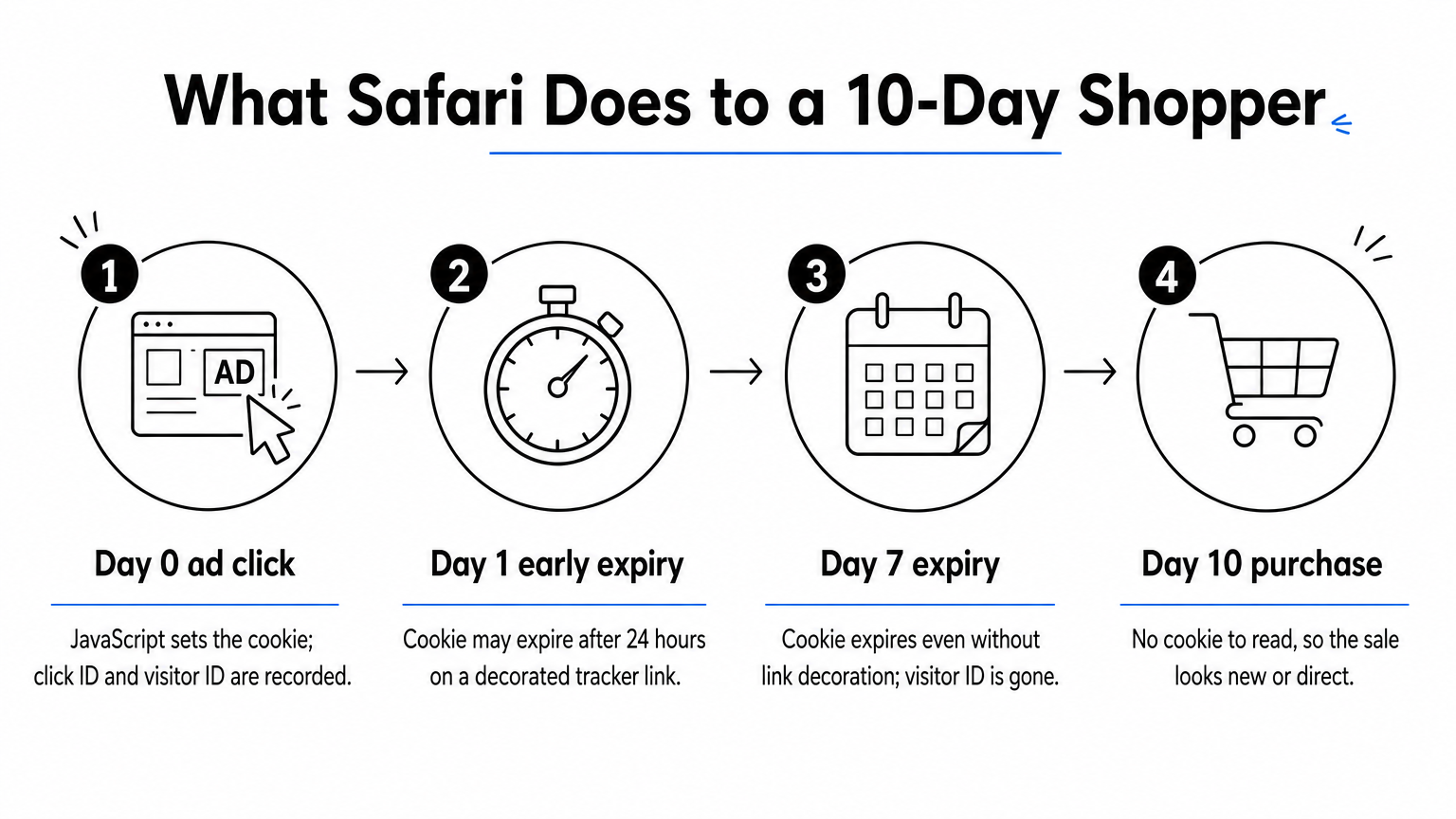
Take a shopper on an iPhone who clicks a Meta ad on Monday. The landing URL carries a click ID, and the pixel writes it into a cookie with JavaScript. She browses, leaves, thinks it over, and buys 10 days later. Here is what Safari and your tools see.
| When | What Safari does | What your tools see |
|---|---|---|
| Day 0, ad click | Cookie is created by JavaScript | Click ID and visitor ID recorded |
| Day 1 | Cookie may expire after 24 hours if the link came from a classified tracker domain with query parameters | Click ID may already be gone |
| Day 7 | Cookie expires even without link decoration | Visitor ID gone |
| Day 10, purchase | No cookie to read | New visitor, unattributed or direct sale |
In the best case, the sale lands in direct traffic. If your buyers decide within a few days and return often, you lose little. For considered purchases such as watches or skincare routines, you can lose most of the Safari journey.
In the US, browsers on iPhone and iPad run on WebKit, the engine that carries ITP. Chrome on an iPhone therefore inherits most of the same tracking prevention. Your exposure follows your iOS share of traffic, not just your Safari share, so check device mix in your analytics before you decide how urgent this is.
A cookie that expires early does not just lose data, it turns your returning customer into a stranger.
ITP restricts first-party cookies by shortening their lifetime according to how they were created, where they came from, and whether the visitor interacts with the site. It never treats "first-party" as automatically safe. WebKit, the engine behind Safari, documents each rule, and they stack on top of each other.
This table collects the rules in one place. The dates show when each rule arrived.
| Cookie or storage | How it is created | What ITP does |
|---|---|---|
Cookie via document.cookie |
JavaScript | Expires after 7 days (ITP 2.1, 2019) |
| Same, on a page reached by a decorated link | JavaScript, with query string or fragment from a classified tracker | Expires after 24 hours (ITP 2.2, 2019) |
| localStorage, IndexedDB, SessionStorage, media keys, service worker registrations and cache | Script-writeable storage | Deleted after 7 days of Safari use without user interaction (ITP 2.3, 2019) |
| Cookie in a CNAME-cloaked response | HTTP header, host disguised as first-party | Capped at 7 days (2020) |
| Cookie in a response from a third-party IP address | HTTP header, host on a different IP than the site | Capped at 7 days (announced 2022, shipped in Safari 16.4 in 2023) |
| Cookie from a same-site host, no cloaking | HTTP header | Not capped by ITP, your own expiry applies |
| Third-party cookies | Embedded content | Blocked entirely (Safari 13.1, 2020) |
Two details matter in practice. The 24-hour cap is narrower than it sounds, because it needs a classified referrer plus link decoration. The IP rule is broader than it sounds, because it can catch your own tagging server if it sits on a different network than your storefront.
ITP collects statistics on resource loads and runs a machine learning model over three numbers for each domain: how many sites it appears on as a third-party subresource, as a third-party iframe, and how many cross-site redirects it performs. It also watches for bounce tracking, where a domain redirects the top-level page just to read its own storage. It then checks for tracker collusion, where domains that redirect to a classified domain get classified too.
A classified domain that gets no user interaction for 30 days of browser use has all its website data deleted. Interaction means a click, tap, or keyboard entry. Scrolling does not count. A normal storefront is not classified, but your marketing vendors' domains often are, and that is why click IDs that arrive from them are treated with suspicion.
It depends on three things: how the cookie was set, which host set it, and whether the visitor keeps interacting. A JavaScript cookie lasts 7 days, or 24 hours after link decoration. A server-set cookie from your own matching host lasts as long as the expiry you give it. A cookie from a cloaked or third-party-IP host is capped at 7 days.
One more lever helps. If a script rewrites its cookie on each visit, the 7-day window restarts. That is why a loyal Safari visitor who returns every few days keeps a stable ID, while an occasional visitor loses it. Home screen web apps are exempt from the 7-day cap on script-writeable storage, but that covers a small slice of storefront traffic.
WebKit now ships privacy changes as part of regular Safari releases rather than numbered ITP versions, so treat this table as a snapshot. Re-test after major Safari updates.
ITP does not ask whether a cookie is first-party, it asks who really set it and how.
Check by opening your site in Safari, interacting with it, and reading the Expires column in Web Inspector's cookie storage. Compare that with the same site in Chrome. Any cookie that shows a long expiry in Chrome and about a week in Safari was written by JavaScript.
You may not reproduce the 24-hour cap by hand. It depends on Safari having classified the referring domain, which you cannot force. Verify that one in real traffic instead.
The cookie view tells you what Safari does. Your reports tell you what it costs. In GA4, split returning users by browser and compare Safari with Chrome over the same period. A Safari returning-user share that sits well below Chrome's, with returning visits clustered inside the first week, is the signature of the 7-day cap.
Run the same check on revenue. Look at conversions that happen 8 to 30 days after the first session. If Safari shows far fewer attributed conversions in that window than Chrome does, you are losing journeys, not customers.
Start with the cookies your ad and email tools depend on. Names vary by setup, so confirm them in your own storage tab.
_ga) and its container-specific companion_fbp, _fbc)_gcl_*)__kla_id)For each one, record who sets it, whether JavaScript or a server writes it, and the lifetime you see in Safari. That list becomes your fix plan.
If you can only audit one thing, audit who writes the cookie, because the writer decides the cap.
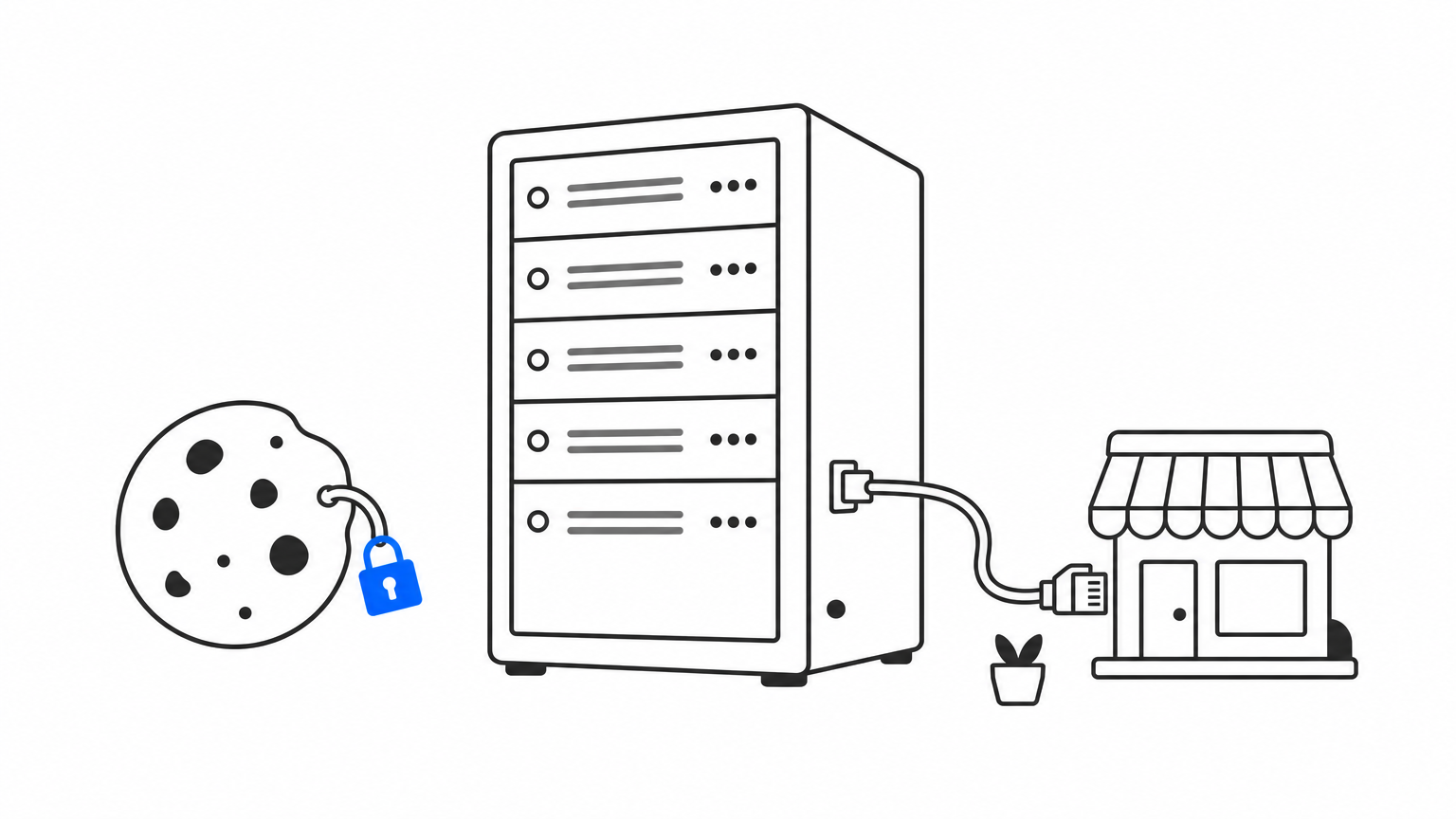
To keep first-party cookies alive in Safari, move cookie creation from browser JavaScript to a server response from a host that matches your site. ITP leaves those cookies alone. The harder question is which way of getting there fits your team, so compare the options first.
| Approach | Beats the 7-day cap? | Effort | Main catch |
|---|---|---|---|
| Rewrite the JavaScript cookie on every visit | Only for visitors who return within 7 days | Low | Does nothing for slow buyers |
| Set cookies from your own backend | Yes | Medium to high | Needs engineering, and a host that matches your site |
| Tagging server on a subdomain with a different IP | Usually no, capped at 7 days | Medium | Looks like a third-party IP to Safari |
| Same-origin proxy path through your CDN | Yes | Medium | CDN rules need ongoing upkeep |
| Managed edge agent such as Crumble | Yes, lifetime extended from about 1 week to 2+ years | Low, DNS-level change | Recognition depends on consent, browser limits and integrations |
The row people most often get wrong is the third one. Server-side tagging helped for years, but when the tagging host resolves to a different IP than your storefront, Safari treats its cookies as third-party-IP cookies and caps them at 7 days.
If you have engineering time, the steps are short.
Set-Cookie header, not through document.cookie.Secure flag, and SameSite=Lax.HttpOnly if no client script needs to read it.Set-Cookie: visitor_id=abc123; Max-Age=31536000; Path=/; Domain=example.com; Secure; SameSite=Lax
A cookie the server sets is only half of the job. Your ad and analytics tags still have to read it, so check each integration after the change.
Crumble, the Edge ID agent from Nostra AI, handles this at the edge of your storefront so your team does not rebuild each integration. It extends cookie lifetime from about one week to 2+ years and recovers lost identities automatically. It works with Meta, Google, Klaviyo and GA4, and Nostra also discusses Attentive and Intelligems integrations. Nostra manages the deployment, which starts with a DNS-level change and needs no code changes on your side.
Be realistic about what it promises. Whether a returning visitor is recognized still depends on consent, browser restrictions, cookie settings and the integrations you run. Edge ID follows on day 14 of Nostra's rollout, once a control group is in place, so you can measure the difference instead of trusting a claim.
A longer cookie is also not a substitute for capturing an email at login or checkout. Hashed email matching through server-side events is a good complement for journeys where no cookie survives.
Move the writer, not the lifetime: a server-set cookie from a matching host is the fix that holds.
Visitors control two Safari switches under Privacy: Prevent Cross-Site Tracking, on by default, and Block All Cookies, off by default. The first runs ITP. The second blocks every cookie, including first-party ones. As a site owner you should design for the defaults, since you cannot ask visitors to change them.
Yes. Safari 13.1 in March 2020 introduced full third-party cookie blocking, and WebKit says there are no exceptions beyond the Storage Access API and a temporary compatibility fix for popups. Even before that, Safari's long-standing policy refused new third-party cookies from domains that had none yet.
A visitor can relax this by turning off Prevent Cross-Site Tracking, but that disables ITP for them and is not something to plan around. An embedded widget that needs its cookies, such as a login or comment box, has to call the Storage Access API after a user interaction, and Safari may ask the visitor for permission.
For most sites, yes. First-party cookies keep people logged in, hold cart contents, and remember language and form values. With Block All Cookies on, many stores stop working properly because the cart cannot persist.
Visitors who want visibility without breaking sites can use the Privacy Report in Safari 14 and later, which summarizes the trackers Safari has blocked. To change the settings on a Mac, open Safari, then Settings, then Privacy. On an iPhone, open Settings and find Safari (under Apps in iOS 18 and later), then look for the Privacy and Security options.
Visitors can tighten Safari, but you cannot count on them loosening it, so build for the strictest default.
Safari ITP shortens first-party cookies according to how they are made. JavaScript cookies last 7 days, drop to 24 hours after link decoration from a classified tracker, and script-writeable storage is wiped after 7 days of Safari use without interaction. Server-set cookies from a matching host are left alone. Audit who writes your cookies, test in Web Inspector, and move the important ones to the server.
Accurate returning-visitor data is only useful if the traffic is real. Bots inflate sessions and burn ad spend before any cookie question arises. See how Edge Protect filters bad bots before they reach your store, so the visitors you track are shoppers.


