A landing page experience below average rating means Google considers your page less relevant and useful than other advertisers' pages for the same keyword. You fix it in four moves. First, find the keywords and URLs behind the rating. Second, make each page repeat the promise of the ad that earned the click. Third, get the page loading fast and usable on mobile. Fourth, add the trust and navigation basics Google asks for. Then give the rating time to refresh.
The frustrating part is that Google gives you the verdict but not the cause. You see a status in a column, your cost per click stays higher than it should, and nobody on the team owns the answer. Ad copy changes take minutes. The landing page lives in a store theme, a CMS, or a developer's backlog, so it is often the one component that stays weak while the other two improve.
This guide walks through those four steps in the order that saves the most time. You get a worked example, checks you can run today, and the thresholds to aim for. It leans on ecommerce stores, where slow themes, heavy apps, and bot-inflated analytics make the problem harder to read. Nostra AI runs speed and bot-protection agents at the edge of more than 300 storefronts, so the advice on speed and traffic quality comes from that daily work.
Landing page experience is one of the three components of Quality Score, next to expected click-through rate and ad relevance. Google rates each component as Above average, Average, or Below average for every keyword, and it compares your page with other advertisers' pages for that same keyword. The system was called AdWords when much of the older advice was written. The scoring works the same way in Google Ads today.
Google defines the component as how relevant and useful your page is to people who click your ad. Its landing page guidance comes down to five asks: match your ad and keywords, mirror the call to action in your ad, work well on mobile, be easy to navigate, and be clear about what you offer. Those five asks are the checklist for the rest of this article.
| Component | The question it answers | Where you fix it |
|---|---|---|
| Expected CTR | Will people click your ad for this keyword? | Ad copy and assets |
| Ad relevance | Does the ad match the intent of the search? | Ad copy and ad group structure |
| Landing page experience | Is the page relevant and useful after the click? | Your website |
A Below average landing page rating is a verdict on the page the click lands on, not on your ad or your bid.
Google says Quality Score is a diagnostic and not an input in the auction. The quality it reports still matters. Google weighs ad quality, which includes the landing page, when it sets Ad Rank, and higher quality ads typically cost less per click. A weak page means you pay more for the same position or lose some of that position. Nobody outside Google can quote an exact discount, so treat any precise CPC penalty you read online as a guess.
Before you touch the page, look at the other two components. If expected CTR and ad relevance are also Below average, the problem starts in the ad or the ad group, and a perfect page will not rescue it. If those two read Average or better and only the page lags, the page is dragging the keyword down, and the steps below apply directly. A keyword with very little traffic may show no status at all, so you can only fix what Google has rated.
Meta also flags poor landing page experiences, but that is a separate check and it does not use Quality Score. Read the exact message in your Meta account, then rule out the same causes this guide covers: a slow page, a page that does not match the ad, intrusive pop-ups, and an unclear offer. Steps 2 through 4 apply to both platforms. Step 1 uses Google Ads reports only.
Start in the Keywords view of Google Ads and add the Quality Score columns. This takes about five minutes:
Google's Quality Score help page lists these columns. Filter Landing page exp. to Below average, and you have your working list.
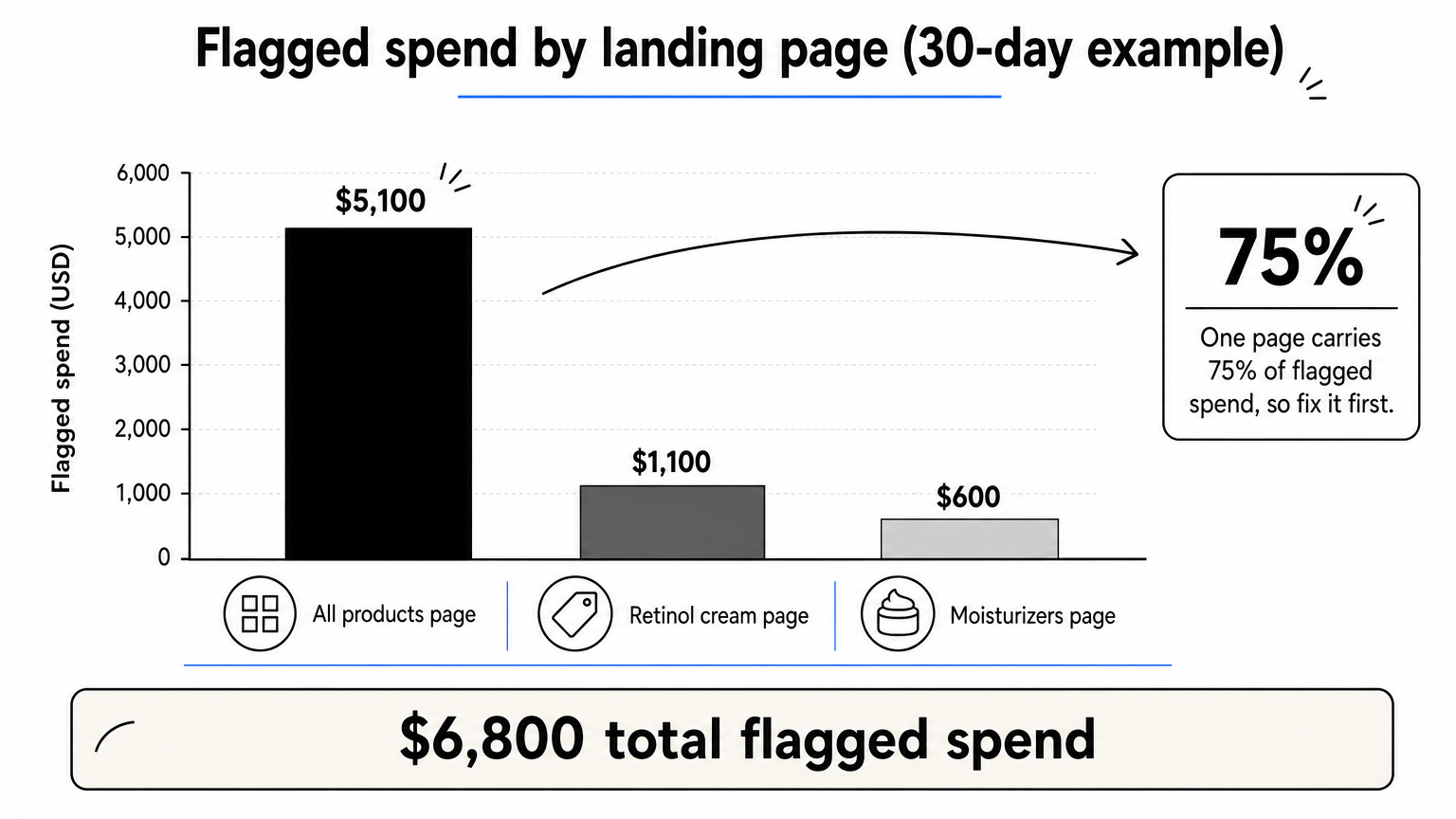
Group the flagged keywords by final URL and add up the spend behind each one. A handful of URLs usually account for most of the damage, so fix them in order of spend. Here is a hypothetical skincare store, last 30 days:
| Flagged keyword | Final URL | Spend |
|---|---|---|
| vitamin c serum | /collections/all | $2,400 |
| dark spot serum | /collections/all | $1,800 |
| brightening serum for sensitive skin | /collections/all | $900 |
| retinol night cream | /products/retinol-cream | $1,100 |
| best moisturizer for dry skin | /collections/moisturizers | $600 |
The flagged spend totals $6,800. The /collections/all page carries $5,100 of it, or 75%, and it serves three keywords. One rebuilt page fixes three keywords and three quarters of the problem, so it goes first.
Before you redesign anything, open every flagged final URL on a phone. Look for 404 errors, redirect chains, and products that are out of stock. Check that the price and offer match the ad. These fixes are cheap, and sometimes they are the whole cause. In ecommerce, ads that keep sending traffic to a sold-out product page are a common culprit.
Rank flagged keywords by spend and fix the page behind the biggest total first, because one page often explains several keywords.
Message match means the page repeats what the searcher and the ad asked for. Check three things on every flagged page:
Say your ad promises free shipping over $50. If the page buries that threshold in the footer, the visitor has to hunt for the thing that earned the click. Put it where the headline and the buy button sit. Google judges relevance, not keyword counts, so use the searcher's words naturally in the headline and first screen and skip the repetition.
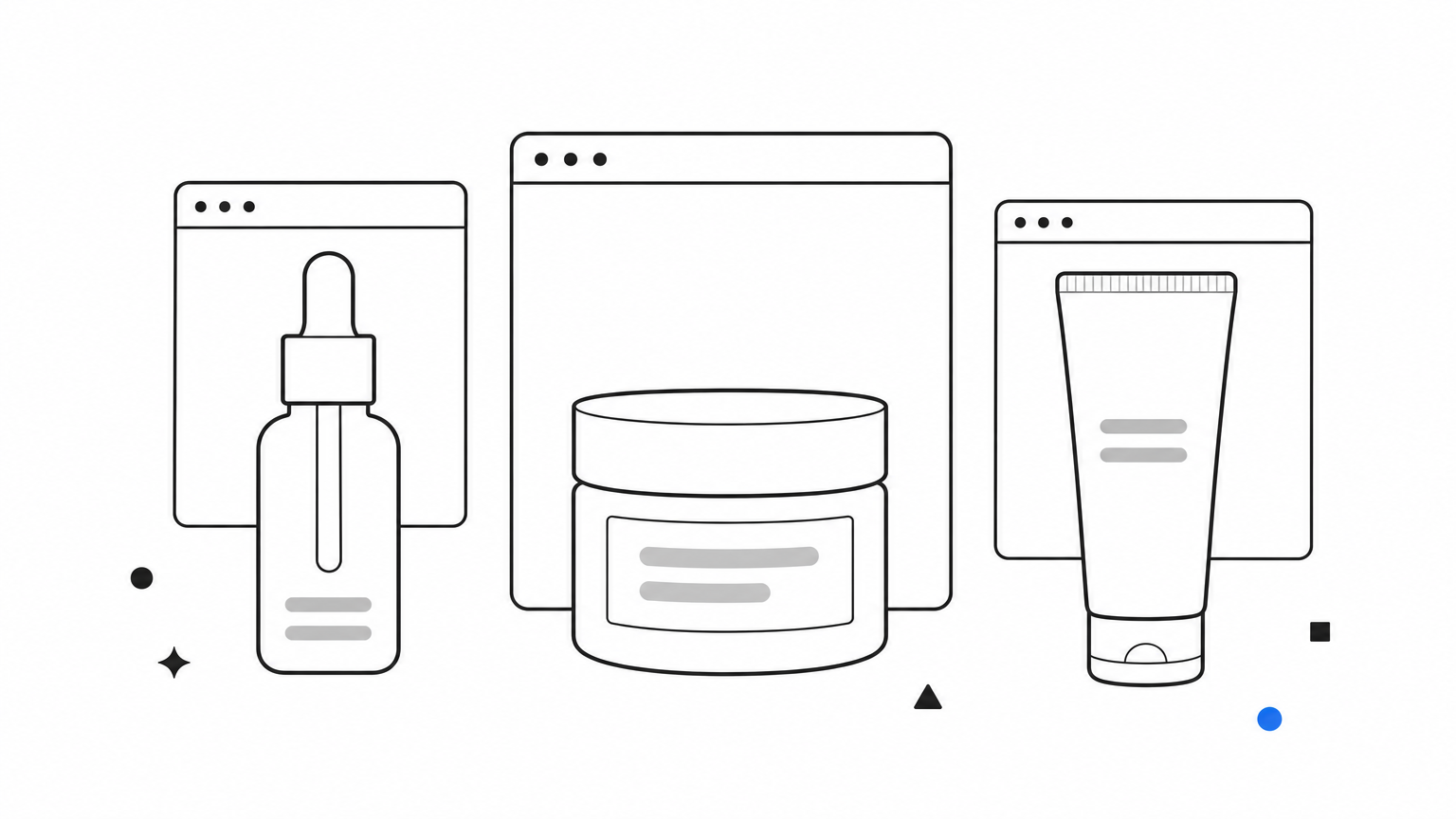
A homepage or an "all products" collection speaks to everyone, so it matches nobody. Send a search for a specific product to that product page. Send a category search to a collection page filtered to that category. If one ad group mixes "retinol night cream" with "dark spot serum," split it so every keyword in a group shares one intent, then set the final URL for each group.
| Keyword | Ad promise | Weak destination | Better destination |
|---|---|---|---|
| retinol night cream | Free shipping over $50 | /collections/all | The retinol cream product page, shipping threshold above the fold |
| best moisturizer for dry skin | Shop moisturizers for dry skin | Homepage | Moisturizer collection filtered to dry skin |
| vitamin c serum | Free returns | /collections/all | A vitamin C serum collection with the return policy in the first screen |
Build the pages for your top-spend groups first. Do not try to cover every keyword at once. Five well-matched pages beat fifty rushed ones.
Match the page to the search and the ad, and the headline, offer, and button should all say what the ad said.
Run each flagged URL through PageSpeed Insights and read the mobile tab. Use the field data, which reflects real visitors, rather than only the lab score. Google's Core Web Vitals thresholds for a good experience are:
| Metric | Good | What it measures |
|---|---|---|
| Largest Contentful Paint (LCP) | 2.5 seconds or less | When the main content appears |
| Interaction to Next Paint (INP) | 200 milliseconds or less | How fast the page responds to taps and clicks |
| Cumulative Layout Shift (CLS) | 0.1 or less | How much the layout jumps while loading |
Google measures these at the 75th percentile of page loads, so most visitors need a good experience, not only the average one. INP replaced First Input Delay as a Core Web Vital in March 2024, so a guide that still quotes FID is out of date. Field data also covers a rolling 28-day window, which is why speed fixes take weeks to show. Google Ads does not publish a Core Web Vitals cutoff for Quality Score. Treat the numbers as the measurable version of "make it quick."
A page that loads slowly on a phone never gets a fair chance to be relevant, so measure speed before you polish copy.
Most slow landing pages share the same few problems. Work through them in this order:
When the theme and apps are the limit and you have no developer time, look at time to first byte. A slow first byte holds back everything that loads after it, LCP included. Serving the HTML from a location near the shopper fixes that.
Dash, the Edge Delivery agent from Nostra AI, caches a store's HTML at the edge after a DNS-level change, with no code changes. It improves time to first byte by 5 to 10x and makes page loads 20 to 30 percent faster on average. Customers' Core Web Vitals typically improve within 14 to 28 days. In a live A/B test for Popflex, it cut TTFB by 25.8% and raised conversion rate by 7.49%. It works with Shopify, Salesforce Commerce Cloud, BigCommerce, and custom stacks. It will not shrink an oversized hero image or fix a mismatched headline, so do those first.
Google asks for a mobile-friendly page, so test on a real phone over cellular, not on office Wi-Fi. Check that:
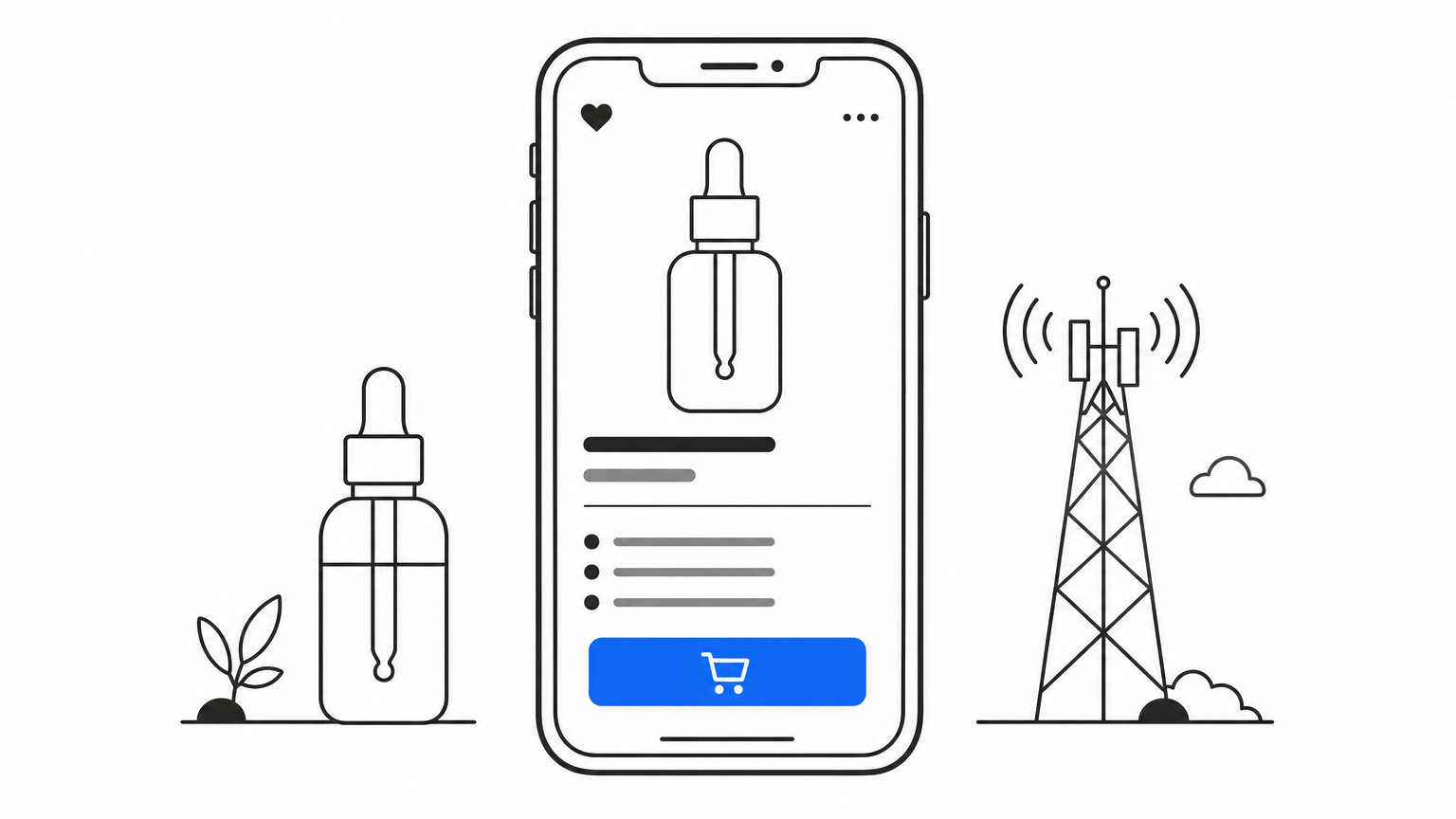
In Google Ads, open Insights & reports, then Landing pages, and look at the mobile-friendly click rate. A value below 100% means some clicks went to a page that failed Google's mobile-friendly test.
Google asks landing pages to be clear about the product and what it does. A visitor deciding whether to hand over a card number looks for the business name, a contact route, and a visible price. Add a shipping and returns summary near the buy button and a privacy policy link in the footer. Show what happens after checkout. A page that hides the terms or the company behind the offer asks the visitor to trust it blind, and a poor landing page experience often comes down to exactly that.
Give the page one goal. On a dedicated landing page, remove header links that lead to unrelated parts of the store, and pull promo banners that push another offer. On a product page, keep add to cart above the fold. Do not force account creation before a first purchase. Every extra form field is a reason to stop, so ask only for what you need to follow up or ship.
Fix the highest-spend page first and leave it alone. Google updates the status as it collects new data and publishes no fixed timeline, and the speed data rolls over 28 days, so give changes several weeks before you judge them. Editing the page every few days resets the picture. Judge the page on conversion rate and bounce rate in GA4, not only on the label.
Traffic quality also matters here. Bots inflate sessions and distort bounce and conversion rates, so a fixed page can look broken and a broken page can look fine. Knox, the Edge Protect agent from Nostra AI, turns bad bots away at the edge while still allowing Googlebot, ChatGPT, and Claude, so the numbers you read reflect real shoppers.
Change one page at a time, leave it alone for weeks, and judge it on conversions, not on the label.
A Below average landing page rating is fixable, and the order matters. Find the flagged URLs and rank them by spend. Match each page to the keyword and ad that sends the click. Make it fast and usable on a phone. Add the trust and navigation basics Google asks for, then wait long enough to see whether it worked.
Once the pages are right, the last piece is the traffic itself. Paid clicks that come from bots waste budget and blur the data you use to judge every change. If you want your results to reflect real shoppers, see how Edge Protect filters bad bots from your traffic and keep your ad spend aimed at people who can buy.


